1
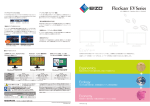
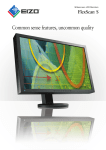
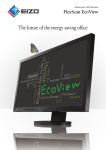
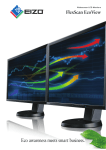
The FlexScan EV series embodies EIZO’s “EcoView” concept of combining ergonomic and environmental features for an economi cal result. A compact design, flexible stand, and energy-saving LED backlights make these monitors ideal for trading floors, government Ergonomics facilities, offices, and homes. Clear View from Different Angles Versatile Positioning The FlexScan EV2335W has a non-glare IPS panel with 178° viewing angles so it exhibits minimal change in contrast and hue when viewed from off center, making it ideal for a multi-monitor setup. These monitors come with the highly versatile FlexStand 2 which offers tilt, swivel, portrait rotation, laptop-like screen placement, and 165 mm of height adjustment. The FlexScan EV2315W has 170° vertical and 160° horizontal viewing angles. It comes with an “Up View” function which minimizes the washing out of colors for improved visibility in environments where the user must look up to see the screen. Height Adjustment Portrait Tilt Swivel 30° 165 mm Right 90° 344° Adjustable to Just 1% of Maximum Brightness Panel with narrow viewing angles Up View Off IPS panel In a dimly-lit work environment, a monitor with low brightness settings will be more comfortable to use. Both models come with LED backlights that allow for adjusting the brightness to just 1% (about 3 cd/m2) of the maximum. With typical CCFL backlights the lowest you could adjust to would be a much brighter 20%. Up View On Paper Mode and EyeCare Filter Reduce Eye Fatigue Designed to reduce eye fatigue, Paper mode simulates the look of printed paper and helps prevent eyestrain when reading documents. What’s more, a new feature called EyeCare Filter, available with the bundled ScreenManager Pro software, comes with several filter patters that resemble different types of paper. sRGB Mode 3 cd/m2 (1% brightness) 250 cd/m2 (100% brightness) EyeCare Manager EIZO’s EyeCare Manager, another feature available with the bundled ScreenManager Pro software, prompts workers to take scheduled breaks to avoid eye fatigue caused by prolonged monitor use. EyeCare also totals and displays on-screen the monitors’ usage hours for each day and month to promote worker awareness of how much time they spend in front of their monitors. EyeCare reminds workers to take regular breaks to pre vent eye fatigue. Paper Mode Choice of filter patterns Paper Mode with EyeCare Filter 2