1
INSTALLATION INSTRUCTIONS
1.
2.
3.
4.
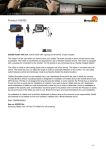
Important Note: The charger unit is fused internally with 2 A automotive re-settable thermal fuse, but if an external
fuse is to be installed then connect a 2 A fuse holder and fuse inline with the Red wire close to the power source.
Route the cable from the holder into the vehicle dashboard and secure the charger unit in place with the adhesive
tape provided. Ensure the charger unit is securely mounted behind the dashboard in a well ventilated area that
does not get hot! Connect as follows: 1. Connect the White wire to a Negative Ground connection of the vehicle
or the vehicle chassis. 2. Connect the Red wire to a 12/24 Volt power supply in the vehicle that is controlled by
the ignition switch of the vehicle. Installation of the holder:
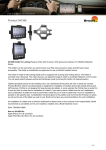
Please read all of the instructions and look at the pictures before attaching the holder. 1. Loosen the screw in the
center of the holder so you can remove the tilt swivel attaching plate on the back. Place the attaching plate onto
the desired position. Screw the attaching plate into place with the enclosed screws. Place the holder over the
attaching plate so the screw fits in the hole in the tilt swivel. Tighten the screw until the holder is firmly in place,
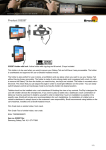
but still can be adjusted. 2. Slide the device carefully into the holder from above. Press the lock onto the top part
of the holder. Press the button to lock. 3. use the enclosed key to open the lock. Remove the lock by sliding it
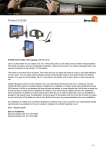
upwards away from the holder. Slide the device carefully upwards out of the holder. 4. The holder is in place.
Switch between portrait and landscape mode by turning the holder into desired position.
2 (2)