1
Setup? PowerLine is Plug and Play. And
That’s It.
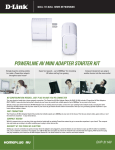
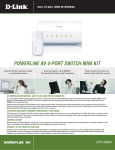
Building your PowerLine network from the ground up is
a cinch. Just connect your Internet source device to the
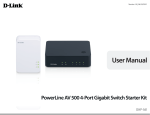
included PowerLine AV 500 Adapter, plug the PowerLine
AV 500 4-Port Gigabit Switch into any electrical outlet,
and connect up to 4 high-performance devices to the
Switch. D-Link’s ‘Simple Connect’ button will establish a
128-bit security encrypted connection over your PowerLine
network in a flash. With PowerLine, there are no cables to
run, holes to drill or wireless signals to configure, delivering
blazing-fast connectivity – up to 500 Mbps – to any device,
anywhere in the home is as easy as plug and play.
Create An Ultra-Secure Home Network.
PowerLine protects your network with 128-bit AES data security
encryption – the same technology used in E-commerce or
online banking. Create your own network name and password
`
*A minimum of two D-Link PowerLine AV Network devices are required to create a network.
or put it at the tip of your fingers with ‘Push Button Security’
standard on every PowerLine device. With hassle-free plug and
play installation, and advanced security the PowerLine AV 500
4-Port Gigabit Switch Kit is not only one of the fastest networking
solutions available, it’s also one of the safest.
Get Ready for the Future - IPV6 Equipped
With the growing number of Internet-enabled applications
requiring IP addresses, the supply of IP addresses under the
current Internet Protocol version 4 (IPv4) system has already been
exhausted. The IPv6 protocol solves this network addressing
exhaustion by creating more IP addresses, but migration from
IPv4 to IPv6 is not necessarily automatic. No worries - This D-Link
product is IPv6 Certified and ready for the future.