1
SRU520_87_v6.qxd
26-04-2005
14:38
Pagina 4
Instructions for use
English
Contents
1.
2.
3.
4.
5.
6.
Introduction . . . . . . . . . . . . . . . . . . . . . . . . . . . . . . . . . . . . . . . . . . . . . 4
Installing the remote control . . . . . . . . . . . . . . . . . . . . . . . . . . . . 4-6
Inserting the batteries . . . . . . . . . . . . . . . . . . . . . . . . . . . . . . . . . . . . . . . 4
Testing the remote control . . . . . . . . . . . . . . . . . . . . . . . . . . . . . . . . . . . 4
Setting the remote control . . . . . . . . . . . . . . . . . . . . . . . . . . . . . . . . . . . 5
Keys and functions . . . . . . . . . . . . . . . . . . . . . . . . . . . . . . . . . . . . . . . 7
Extra possibilities . . . . . . . . . . . . . . . . . . . . . . . . . . . . . . . . . . . . . . . 8-9
Adjusting device selection (Mode keys) . . . . . . . . . . . . . . . . . . . . . . . . . 8
Adding a function to the remote control . . . . . . . . . . . . . . . . . . . . . . . . 8
Restoring the original functions of your remote control . . . . . . . . . . . . 9
Troubleshooting . . . . . . . . . . . . . . . . . . . . . . . . . . . . . . . . . . . . . . . . . . 9
Need help? . . . . . . . . . . . . . . . . . . . . . . . . . . . . . . . . . . . . . . . . . . . . . 10
Code list of all brands / equipment . . . . . . . . . . . . . . . . . . . . . . . . . 60-73
1. Introduction
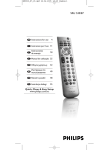
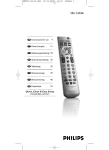
Congratulations on your purchase of the Philips SRU520 universal remote
control. After installing the remote control you can operate a maximum of
2 different devices with it:TV and VCR/DVD players/recorders.
You can find information about how to prepare this remote control for use in
the chapter ‘Installing the remote control’.
2. Installing the remote control
Inserting the batteries
1 Press the cover inwards and slide it
2
3
in the direction of the arrow.
Place two AAA type batteries into the
battery compartment, as shown.
Slide the cover back and click it firmly into
place.
Note: If the mode keys (TV and DVD/VCR) blink four times after every key press, the
remote control is indicating that its batteries are running low. Replace the old
batteries with two new AAA batteries.
Testing the remote control
The remote control has been programmed to operate most Philips devices.
Because the SRU520 may use different signals for each brand and even for
different models of the same brand, it is advisable to test whether your
device responds to the SRU520.The example below (TV) instructs you how
to do this.You can repeat the same steps for other devices
(VCR/DVD players/recorders) which you want to operate using the SRU520.
Example of TV:
1 Turn your TV on manually or use the original remote control.
Tune to channel 1.
2 Press the TV key to select TV. Press the key
until it lights up.
–
If the key does not light up, check whether the
batteries are properly inserted
(see ‘Inserting the batteries’).
4