1
Walk-Up Operation
Access Control Feature
Access Control requires you to enter a
password before using the scanner. If
your administrator has enabled Access
Control, use the scanner panel’s
number keys (1) to enter your
assigned PIN, then press [Login]:
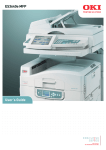
ES3640
e MFP
74
crop.jpg
ES3640e MFP
06.jpg
ES3640e MFP 06
crop.jpg
Important! When you are done, be
sure to press [Logout] to return the
scanner to the PIN entry screen.
Available Options
•
•
•
•
Copy
E-mail
Scan to Network
Scan to Mailbox
3