1
Video/Picture/Music Playback
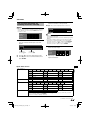
DVD-R/-RW (VR format) / BD-RE/-R
(BDAV format) Playback
DVD-R
DVD-RW
BD-RE
BD-R
You can play back a recorded disc (DVD: VR format
finalised disc only / BD: BDAV format disc only).
• For a description of other playback functions, refer to
”Playback Functions” on pages 31–33.
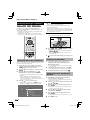
Playback by selecting a title
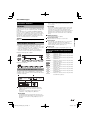
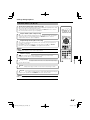
1
Load a recorded disc.
• Disc playback will begin automatically.
• Playback begins from the first title.
2
3
Press H.
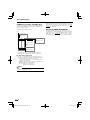
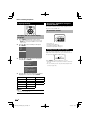
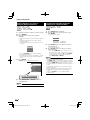
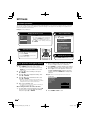
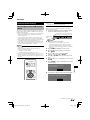
Press TOP MENU/TITLE LIST.
• The Title List screen is displayed.
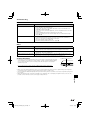
Program 1
1
21/5 Fri 9:30 AM 110 Min.
Program
1
Select
1 Program 1
2 Program 2
3 Program 3
4 Program 4
5 Program 5
6 Program 6
21/5
15/6
3/7
18/9
20/9
25/9
Enter
C
Return
Playlist
Fri 110 Min.
Fri 110 Min.
Mon 56 Min.
Thu 40 Min.
Sat 20 Min.
Thu 60 Min.
1/All 8 Titles
㪜㪯㪠㪫
2
Exit
3
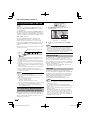
1 Information of selected title
2 Title Name
Recording Date
Recording Duration
3 Button Guide
NOTE
• “Finalise” refers to a recorder processing a recorded disc
so that it will play in other DVD players/recorders as well
as this player. Only finalised DVD discs will play back in
this player. (This player does not have a function to finalise
discs.)
• Some discs cannot be played back depending on the
audio format.
• BD-RE/-R discs recorded from a BD recorder comply with
AACS copyright protection technology. As this player is not
intended to be compliant with AACS, such discs cannot be
played back.
(AACS: Advanced Access Content System)
4
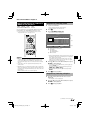
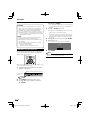
Press a/b to select the desired title, then press
ENTER to start playback.
Playback
• When loading a BD disc with usage restrictions placed
by a BD recorder, the password input screen appears.
Then, input your password.
If you input a wrong password three times, the disc
will be ejected. Load the disc into the disc slot again,
and then input a correct password.
• If you want to select additional titles, switch pages by
pressing PAGE W/Y.
The same operation can be performed by pressing
KSKIP or LSKIP/l.
• You can playback by pressing d instead of pressing
ENTER.
5
Press H to stop playback.
Playback by selecting a Playlist
1
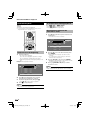
Press C (Yellow) while the Title List screen is
displayed.
• The Playlist screen is displayed.
2
3
Press a/b to select the desired title, then press
ENTER to start playback.
Press H to stop playback.
(Continued on the next page)
27
BD-7000_CD-ROM_en_r2.6.indd 27
10/10/07 9:08