1
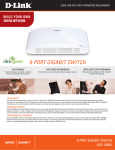
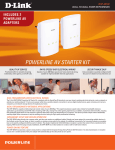
DHP-343 WALL-TO-WALL HOME NETWORKING WHAT THIS PRODUCT DOES Security Button Simply press this button to secure your powerline network. The DHP-343 PowerLine 4-Port HD Starter Kit gives Power Prongs Connects to AC Wall Outlet you everything you need to connect computers, digital media players, game consoles and other Ethernet-enabled devices in a network via your home’s existing electrical wiring. Simply plug in both the one-port adapter and the switch to power outlets in your house and you’re ready to connect your Ethernet-enabled devices. Ethernet Ports (1-4) Connects to Ethernet devices such as desktop and notebook computers FAST TRANSMISSION OVER POWER LINES THROUGHOUT THE HOME TECHNICAL SPECIFICATIONS 200Mbps over the pre-existing electrical wiring in a building. This fast transmission speed provides video HDTV signals, while simultaneously providing high-speed Internet access throughout an entire home. Using Quality of Service (QoS) technology, this adapter is able to ensure that low-priority traffic does not interfere with bandwidth-sensitive applications such as VoIP phone calls and online games. YOUR NETWORK SETUP DHP-302 DHP-342 D-Link’s Powerline HD Starter Kit delivers up to ample bandwidth suitable for streaming high-quality RJ-45 10/100BASE-TX Ethernet Port Connects to Digital Media Devices, PCs, Game Consoles, Network Storage Devices Power Connector Connects to an AC wall outlet via power cable MINIMUM SYSTEM REQUIREMENTS (For PC Utility Software) PC with 200MHz processor 64MB memory Windows Vista, XP SP2 or 2000 SP4 Ethernet interface (100Mbps) STANDARDS IEEE 802.3 IEEE 802.3u POWERLINE INTERFACE DHP-342: Power cable (countrydependent DHP-302: Power prongs (countrydependent) ETHERNET INTERFACE DHP-342: Four (4) 10/100BASE-TX Ethernet Ports with auto MDI/ MDIX DHP-302: 10/100BASE-TX Ethernet Port with auto MDI/ MDIX RJ-45 Connector POWERLINE MODULATION SCHEME OFDM Symbol Modulation POWERLINE FREQUENCY BAND 2MHz to 32MHz DATA RATE Powerline: 200Mbps (PHY rate) Ethernet: 10/100Mbps (auto-negotiation) QoS 802.1P Priority Queues standard WEIGHT DHP-342: 284 grams (0.63 lbs) DHP-302: 136 grams (0.3 lb) OPERATING TEMPERATURE 0º to 40º C (30º to 104º F) STORAGE TEMPERATURE -20º to 70º C (-4º to 158º F) SECURITY 3DES data encryption Net ID STORAGE HUMIDITY 10% to 95% non-condensing LEDs Power AP Ethernet Throughput EMC CERTIFICATION FCC Part 15 Class B CE Class B SAFETY CERTIFICATION UL POWER INPUT 100 to 240 VAC, 50/60Hz POWER CONSUMPTION Power saving mode supported DIMENSIONS (L x W x H) DHP-342: 120 x 90 x 43 mm DHP-302: 99 x 74 x 61 mm Power outlets and electrical wiring must all be part of the same electrical system. Certain electrical conditions in your home, such as wiring condition and configuration, may affect the performance of this product. Additional D-Link Powerline HD adapters required to add new devices to the network. A minimum of two D-Link Powerline HD adapters or switches are required to create a network. Connecting this product to a power strip with a surge protector may adversely affect the performance of this product. For best results, plug adapter directly into a wall outlet. 1 Maximum throughput based on theoretical transmission PHY rate. Actual data throughput will vary. Network conditions and environmental factors, including volume of traffic and network overhead, may lower actual data throughput rate. Interference from devices that emit electrical noise, such as vacuum cleaners and hair dryers, may adversely affect the performance of this product. This product may interfere with devices such as lighting systems that have a dimmer switch or a touch-sensitive on/off feature, short wave radios, or other Powerline devices that do not follow the Universal Powerline Association (UPA) standard. 2 D-Link Corporation No. 289 Xinhu 3rd Road, Neihu, Taipei 114, Taiwan Specifications are subject to change without notice. D-Link is a registered trademark of D-Link Corporation and its overseas subsidiaries. All other trademarks belong to their respective owners. ©2009 D-Link Corporation. All rights reserved. Release 01 (July 2009)