1
INSTALLATION
Table of Contents
sections
1
2
3
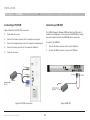
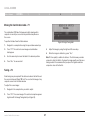
Connecting a PS/2 SIM
Power down the server
2.
Connect the mouse connector to the computer’s mouse port.
3.
Connect the keyboard connector to the computer’s keyboard port.
4.
Connect the video connector to the computer’s VGA port.
5.
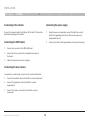
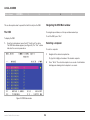
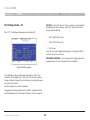
The USB SIM supports Windows 2000 and later, Sun, SGI, and all
modern Linux distributions. The connections for USB SIM are exactly
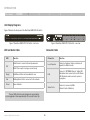
the same. Figure 9 illustrates the USB SIM and its connections.
To connect the USB SIM:
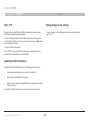
Power on the server.
1.
Connect the video connector to the server’s VGA port.
2.
Connect the USB connector to the server’s USB port.
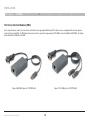
SIM PS/2
SIM USB
Figure 9 USB SIM
Figure 8 PS/2 SIM connections
OmniView® SMB CAT5 216/232 Switch
5
Connecting a USB SIM
Figure 8 illustrates the PS/2 SIM connections.
1.
4
11