1
Music player
Music player supports files formats such as .aac, .aac+,
.eaac+, .mp3, .wav, and .wma. Music player does not
necessarily support all features of a file format or all the
variations of file formats.
You can also use Music player to listen to podcast
episodes. Podcasting is the method for delivering audio or
video content over the internet using either RSS or ATOM
technologies for playback on mobile devices and PCs.
Warning: Listen to music at a moderate level.
Continuous exposure to high volume may damage your
hearing. Do not hold the device near your ear when the
loudspeaker is in use, because the volume may be
extremely loud.
Music
Music
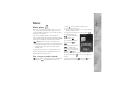
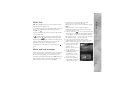
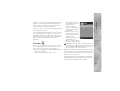
1 Press
, and select Music > Music player.
2 Select Music or Podcasts.
3 Select categories to navigate to the song or podcast
episode you want to hear.
4 To play the selected file or list of files, press
.
To pause playback, press
, and to resume, press
again. To stop
playback, press
.
To fast forward or rewind,
press and hold
or
.
For more information about copyright protection, see
‘Digital rights management’, p. 93.
To go to the next item, press
. To return to the
beginning of the item, press
. To skip to the previous
item, press
again
within 2 seconds after a song or podcast has started.
Play a song or a podcast episode
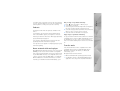
To switch random play (
Shuffle.
To add songs to your device, see ‘Transfer music’, p. 21.
Tip! To open the music player tile of the multimedia
menu, press
. See ‘Multimedia menu’, p. 15.
) on or off, select Options >
To repeat the current item (
), all items (
switch repeat off, select Options > Repeat.
), or to
19