1
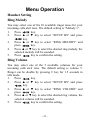
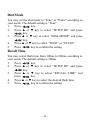
Dial Mode
You may set the dial mode to “Tone” or “Pulse” according to
your needs. The default setting is “Tone”.
1.
Press
key.
2.
Press ▲ or ▼ key to select “SETUP BS” and press
key.
3.
Press ▲ or ▼ key to select “DIAL MODE” and press
key.
4.
Press ▲ or ▼ key to select “TONE” or “PULSE”.
5.
Press
key to confirm the setting.
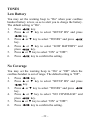
Recall Time
You may select flash time from 100ms to 800ms according to
your needs. The default setting is 100ms.
1.
Press
key.
2.
Press ▲ or ▼ key to select “SETUP BS” and press
key.
3.
Press ▲ or ▼ key to select “RECALL TIME” and
press
key.
4.
Press ▲ or ▼ key to select the desired flash time.
5.
Press
key to confirm the setting.
– 28 –