1
Menu Operation
Handset Setting
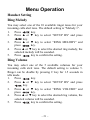
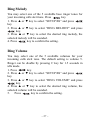
Ring Melody
You may select one of the 10 available ringer tones for your
incoming calls alert tone. The default setting is “Melody 1”.
1.
Press
key.
2.
Press ▲ or ▼ key to select “SETUP HS” and press
key.
3.
Press ▲ or ▼ key to select “RING MELODY” and
press
key.
4.
Press ▲ or ▼ key to select the desired ring melody, the
selected melody will be sounded.
key to confirm the setting.
5.
Press
Ring Volume
You may select one of the 5 available volumes for your
incoming calls alert tone. The default setting is volume 5.
Ringer can be disable by pressing C key for 1.5 seconds in
idle mode.
1.
Press
key.
2.
Press ▲ or ▼ key to select “SETUP HS” and press
key.
3.
Press ▲ or ▼ key to select “RING VOLUME” and
press
key.
4.
Press ▲ or ▼ key to select the desired ring volume, the
selected volume will be sounded.
key to confirm the setting.
5.
Press
– 21 –