1
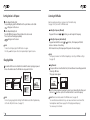
Name of Parts
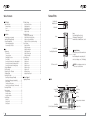
Table of Contents
ML100 Basics
Name of the Parts ...................................................................
Inserting a Battery .................................................................
Screen .......................................................................................
Components ...........................................................................
3
3
3
4
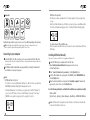
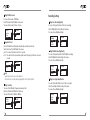
Connection
Connecting to your computer .......................................... 4
Installing USB Driver Manually .......................................... 5
Using a Removable Disk ....................................................... 6
Downloading/Uploading Files
Disconnecting the USB Cable
............................................
............................................
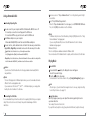
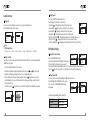
Usage
Playing music
7
6
FM Radio Settings .................................................................... 15
Saving Channels in Menu ................................................... 15
Setting Bandwidth ................................................................ 15
Setting FM Radio Sound ..................................................... 16
Saving Auto Preset ............................................................... 16
Setting Seek Step .................................................................. 16
Recording Settings ................................................................. 17
Setting Voice Recording Quality ....................................... 17
Setting FM Radio Recording Quality ............................... 17
Setting Voice Signal Amplification .................................. 17
Setting the VOR (Voice Operation Recording) ............. 18
Screen Settings ........................................................................ 18
Setting Visual Effect ............................................................. 18
Setting the Language .......................................................... 19
Setting File Information ...................................................... 19
Setting Playback Time ......................................................... 20
Setting Text Flow Speed ..................................................... 20
Setting the Back Light ......................................................... 20
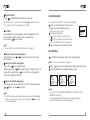
System Settings ....................................................................... 21
Setting Auto Play .................................................................. 21
Setting Resume ..................................................................... 21
Setting Fade In ....................................................................... 21
Setting Device Info ............................................................... 22
Setting Auto Sleep ............................................................... 22
Setting Auto Off .................................................................... 23
Initializing Settings ............................................................... 23
Adjusting Playback Speed .................................................. 23
7
7
7
8
8
8
8
8
Using the Navigation ............................................................. 9
Voice Recording ....................................................................... 9
Setting Section (A - B) Repeat ........................................... 10
Changing Modes ..................................................................... 10
Listening to FM radio ............................................................. 11
Searching the Frequency Manually ............................ 10 Customer Support
Searching the Frequency Automatically .................. 11 Upgrading Firmware
Saving Channels .................................................................... 11
Changing a Saved Frequency ............................................ 12
Listening to a Saved Frequency (Channel mode) ......... 12
Recording FM Radio ............................................................... 12
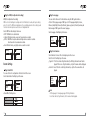
Menu Operation ...................................................................... 13
Moving in the menu ............................................................. 13
Saving the settings ................................................................ 13
Leaving the submenu ........................................................... 13
Audio Settings .......................................................................... 14
Setting EQ ................................................................................ 14
Setting User EQ ...................................................................... 14
Setting Repeat ........................................................................ 15
.............................................................................
Turn on ML100 .....................................................................
Change the volume ..............................................................
Disabling ML100 buttons ..................................................
Turn off ML100 .....................................................................
Searching for the desired section during playback ......
Searching for the desired file during playback .............
Searching for the desired file during pausing ...............
.............................................................
24
Necklace Hole
Headphones Port
Hold Switch
Lever :
Mode Switching/ Menu Setting/
File Navigation/ Changing Track/
Rewind and Fast Forward/ Volume Control
Screen
Record Button
Power/Play/Pause Button
Inserting a Battery
Push the battery cover to the arrow direction
to open it.
Insert the battery with correct polarity (+/-)
and close the battery cover.(1 AAA battery)
Note: Do not apply an excessive force USB Connector Port
to the cover. It can be broken.
Screen
EQ
Current Track
All Tracks
Folder Name
Repeat
DRM
Auto Sleep
Battery
Lock Icon
Display of music information
Visual Effects
(File Info/ Status/ StereoImage)
Playback Time