1
SAITEK PRO FLIGHT YOKE SYSTEM
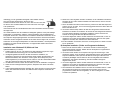
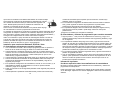
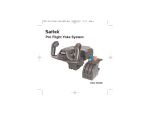
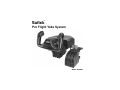
Congratulations on buying the Saitek Pro Flight Yoke System. The Pro Flight Yoke
features realistic controls configurable for all the major flight simulation software to
make your flying experiences more realistic.
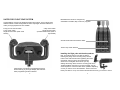
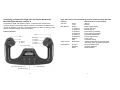
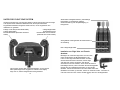
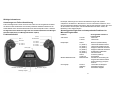
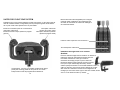
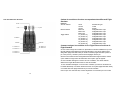
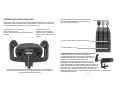
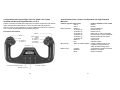
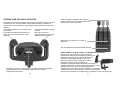
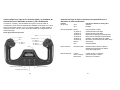
Detachable lever knobs to configure any
combination of throttle, flaps, mixture or prop pitch.
2-way rocker switch
Single function button
3 position Mode switch (back of
right handle)
8-way point of view hat switch
2-way rocker switch
Single function button (back of left
handle)
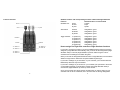
Smooth travel levers with 0 button detent
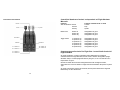
Three 2-way rocker switches
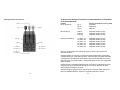
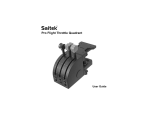
Installing the flight yoke and throttle quadrant
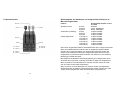
Chronograph: Accurate time and stopwatch function
to time each leg of your flight. Display also indicates
which programming mode is selected.
2
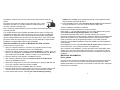
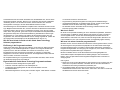
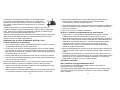
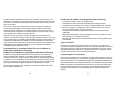
First, fix the Flight Yoke to your table or desk by
inserting the prongs of the mounting clamp into the
holes on the Yoke base and then tightening the screw
mechanism until the yoke is firmly attached (be
careful not to overtighten the screw as you may
damage the clamp). Next, screw the mounting plate to the
Throttle Quadrant using the four screws provided. You can
screw the plate to one of two sides of the quadrant depending
on how you want to mount the Quadrant - either in front and
below your table or on top of it. Please note that whichever way you choose to mount
3