1
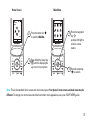
Note: Your phone’s options may vary. Most options
apply only to user-recorded videos, and are not
available for pre-installed videos.
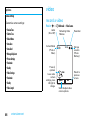
options
options
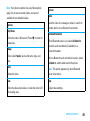
Send to
Send the video in a message or email, or send it to
another device over a Bluetooth connection.
Play Fullscreen
Show the video in full screen. (Press s to return to
actual size.)
Use Bluetooth/Use Handset
When Bluetooth power is on, select Use Bluetooth to
route the audio soundtrack (if available) to a
Manage
Bluetooth headset.
Show video Properties, such as file name, type, and
When a Bluetooth audio connection is active, select
size.
Use Handset to switch audio back to the phone.
Delete
Note: This option appears only when Bluetooth
Delete the video.
power is turned on.
Zoom
Setup
Show the video at actual size, or scale the video to fit
Adjust video settings.
the viewing area.
entertainment
49