1
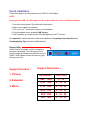
Quick installation
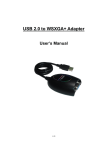
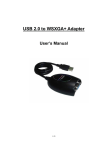
Follow these steps to quickly install your new USB 2.0 VGA Adapter:
NOTE:
Do not plug the USB 2.0 VGA adapter into the system before the driver is finished installing.
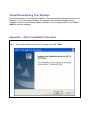
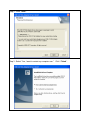
1. Insert the driver/manual CD and follow the instructions.
2. Make sure to restart the computer.
3. Turn on your 2nd monitor and connect it to the adapters.
4. Plug the adapter into an available USB 2.0 port.
5. After complete, you should see the extended display on the 2nd monitors.
See Appendix for detail instruction of the driver installation, Frequently Asked Questions and
Troubleshooting Tips sections for additional help.
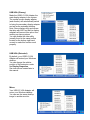
Display Utility
After the driver is installed, a utility will appear in
the lower right taskbar. This utility allows you to
quickly change the settings and resolution for your
USB 2.0 VGA Adapter. Access the menu by right
clicking on the icon.
Support Function :
Support Resolution :
1. Primary
Resolution
Color Bits
2. Extended
1280 * 1024
8 , 16
1280 * 768
8 , 16 , 32
1152 * 864
8 , 16 , 32
1024 * 768
8 , 16 , 32
800 * 600
8 , 16 , 32
640 * 480
8 , 16 , 32
3. Mirror