1
The audio outputs
As you have probably already discovered, your Aureon SoundSystem has, in addition to headphones, a digital output via 8 line outputs to allow fantastic home theater-quality gaming in
surround sound with up to a 7.1 channel configuration. Let's check them out one at a time...
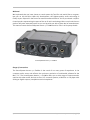
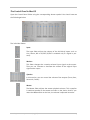
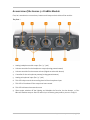
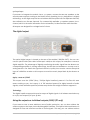
The headphone output
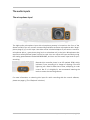
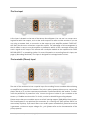
You can connect headphones to this 1/4 " jack. You will need an adapter to use headphones
with smaller jacks (3.5 mm) such as those typically used with portable radios and disc players.
But you don't have to buy it—it's included in the package. You can adjust the volume using the
potentiometer marked “HEADPHONES”. Please remember that the headphone amplifier, and
thus the headphone volume, can be controlled independently of the system volume—
therefore, if you cannot hear anything, you should check both volume settings. The headphone amplifier has an output power of 60 watts.
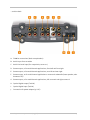
The analog outputs
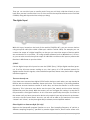
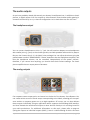
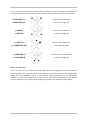
Four separate stereo output pairs are located on the back of the Aureon SoundSystem. You
can create various surround sound setups corresponding to the labels, allowing you to experience movies or computer games on up to eight speakers. Of course, you can also address
these outputs individually using an application which supports the Steinberg ASIO interface,
and thus forward the multichannel output to other devices directly or via a mixing board for
your audio productions. For additional information on this topic, please refer to page 26
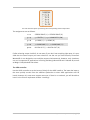
(Using the outputs as individual outputs (ASIO) ). Here is a table showing of which connector
24
SoundSystem Aureon 7.1 FireWire (English)