1
3.6.1
3
Changing Cell Attributes
The OpenOffice.org Office Suite
To enter something in a cell, simply write in that cell. By default, texts are aligned
. To change
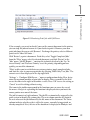
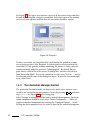
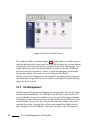
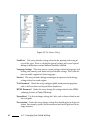
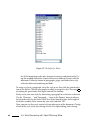
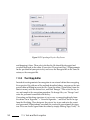
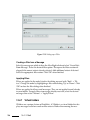
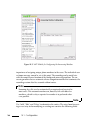
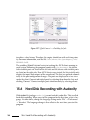
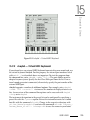
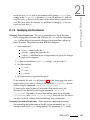
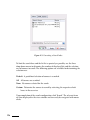
to the left and numbers to the right. To confirm your entry, press Enter the formatting of selected cells, right-click to open a context menu and select ‘Format Cells. . . ’. This opens a dialog in which to change the cell attributes. The dialog, as shown in Figure 3.7, has the tabs ‘Numbers’, ‘Font’, ‘Font Effects’, ‘Alignment’, ‘Borders’, ‘Background’, and ‘Cell Protection’. By enabling ‘Protected’ under ‘Cell Protection’, prevent a cell from being modified.
Figure 3.7: The Cell Attributes Dialog
3.6.2
A Practical Example: Monthly Expenses
Calculations can be made using formulas. Any numeric values entered in cells
can be used in formulas by referring to the unique coordinates of each cell. For
example, you may want to keep a record of your monthly expenses. This could
SUSE LINUX
69