1
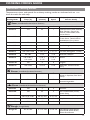
USING MANUAL COOKING MODES
H
M S
˚C
˚F
H
M S
˚C
˚F
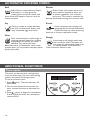
Quick Stir
H
M S
˚C
˚F
Pulse
Quick Stir
Quick Stir
Pulse
Pulse
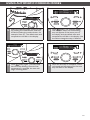
7
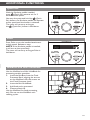
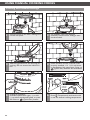
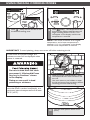
Press
(Time) and use the dial to set
the desired cooking time.
8
Press
(Start). The temperature and
time will stop flashing and the time will
begin counting down. PREHEATING
will appear in the display until the set
temperature is reached.
NOTE: If the Cook Processor is at a higher
temperature, and a lower temperature is
selected, COOLING will appear in the display
until the lower temperature is reached.
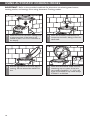
IMPORTANT: To avoid splashing, always turn motor off before unlatching the lid.
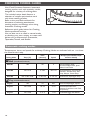
In the event of a power outage, the
welcome screen will be displayed when
power is restored.
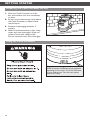
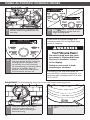
Do not eat food from the cook
processor if “KitchenAid Press
Any key to Continue” shows
in the display.
9
Doing so can result in food
poisoning or sickness.
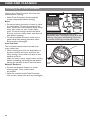
When the timer reaches 00:00, a tone
will sound and the Cook Processor will
turn off.
Use oven mitts or pot holders to open
the lid and remove any accessory before
removing the bowl and serving.
If a cooking cycle was interrupted, be
sure that food is cooked completely, to a
minimum internal temperature of at least
74°C (165°F).
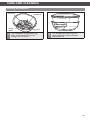
10
Turn the main power switch to O
(OFF).
23