1
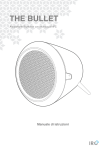
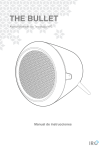
THE BULLET
THE WHITE LINE
NFC (Near Field
Troubleshooting
Communication)
Problem
What to do
No Power
Check that the system is
NFC enables you pair and connect with Bluetooth
connected to a working mains
devices in an easy way.
outlet.
1.
2.
3.
4.
Press MODE button repeatedly to select
No
Make sure your Bluetooth device
Bluetooth mode.
Bluetooth
is discoverable.
Make sure that your NFC is turned “On” on your
connection
Your Bluetooth device may be out
mobile device.
of range, try moving it closer to the
Hold your mobile device about 2cm close to
Bluetooth Speaker.
NFC sensor on top panel for receiving an
Make sure your Bluetooth device
auto-connection between your mobile device
supports the transfer of audio.
and Speaker.
Move your Bluetooth device
Your device then will turn-on Bluetooth
and/or Bluetooth Speaker away
automatically and will pair your device with
from other devices that generate
Speaker. No additional settings are necessary.
electromagnetic interference.
If possible, turn off all other nearby
Bluetooth devices or disable their
Aux in Mode
Bluetooth functionality.
Turn the Bluetooth Speaker off
AUX IN allows for quick and easy connection to an
and back on.
MP3 player or other external audio sources.
1.
Before connecting to the mains socket, use a
3.5mm audio cable (not supplied) to connect to
your external audio device through the AUX IN
No Sound in
Turn off or disable Bluetooth on all
Bluetooth
other paired devices nearby and
Mode
reconnect the device you want to
hear.
socket on the back of Speaker.
2.
Make sure your Bluetooth Speaker
Connect power adapter to mains socket, press
is not muted.
POWER button to switch Speaker on.
3.
Your Bluetooth device may be out
Press MODE button until MODE indicator lit
of range, try moving it closer to the
Green light to select Aux in mode.
4.
Bluetooth Speaker.
In Aux in mode, you may operate your audio
Turn the Bluetooth Speaker off
device directly for playback features.
5.
and back on.
To gain optimal volume levels, adjusting the
output volume level on the audio device as well
is recommended.
No Sound in
Make sure your connected device
Aux in Mode
is on and playing.
Make sure your Bluetooth Speaker
is in Aux in mode.
Make sure the 3.5mm plug is fully
inserted into the Bluetooth
Speaker.
6