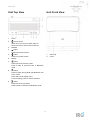
1
THE BOX
THE WHITE LINE
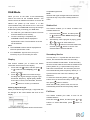
NFC (Near Field Communication)
General Operation
NFC enable you pair and connect with Bluetooth
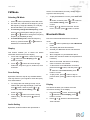
Setting Alarm
devices in a easy way.
1.
Press
Set Alarm, making sure set time at first.
button repeatedly to select Bluetooth
mode.
2.
3.
1.
Make sure that your NFC is turned “On” on your
or
mobile device.
to confirm.
Hold your mobile device about 2cm close to
2.
between your mobile device and radio.
Your
device
then
will
turn-on
button, and then press
buttons to select Alarm, press
button
Display will show ‘Alarm Setup’, press
button to confirm.
NFC chip for receiving an auto-connection
4.
Press and hold
3.
Bluetooth
Press
or
then press
automatically and will pair your device with radio.
Alarm states:
No additional settings are necessary.
Alarm time:
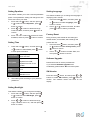
Aux in Mode
Alarm
duration time:
buttons to select options, and
button to confirm the setting.
On or Off
On Time: 00:00 (manually
set up the time )
15/30/45/60/90 minutes
Aux in allows for quick and easy connection to an
MP3 player or other external audio sources.
1.
Last listened:
Before connecting to the mains socket, use a
Only available when DAB
or FM source is selected
3.5mm audio cable (not supplied) to connect to
Alarm active
Daily, Once, Weekends or
your external audio device through the AUX IN
day:
Weekdays
socket on the side of unit.
Alarm
Press
2.
Connect power cord to mains socket, press
button to switch unit on.
volume:
to set the alarm volume
3.
Press
4.
button repeatedly to select Auxiliary
In Aux in mode, you may operate your audio
device directly for playback features.
5.
To gain optimal volume levels, adjusting the
is recommended.
Display
This feature enables you to select the music
information showing on the display.
Press and hold
or
button, and then press
buttons to select Display, press
button to confirm.
4.
Press
or
When display shows 'Alarm Saved', the alarm
5.
To turn off alarm, press
alarm sounds.
6.
To cancel Alarm, refer to steps1-3 to set Alarm
states to ‘Off'.
output volume level on the audio device as well
3.
buttons
setting is successful.
Input mode.
4.
or
buttons to browse between
Time and Date.
9
button when the