1
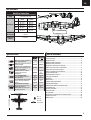
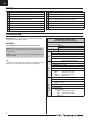
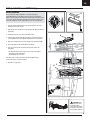
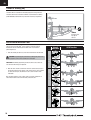
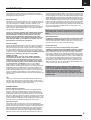
EN Preflight 1 Remove and inspect contents. 10 Test the retract operation. 2 Read this instruction manual thoroughly. 11 Test the flap operation. 3 Charge the flight battery. 12 Perform the Control Direction Test with the transmitter. 4 Setup Transmitter using transmitter setup chart. 13 Perform the AS3X Control Direction Test with the aircraft. 5 Fully assemble the airplane. 14 Adjust flight controls and transmitter. 6 Install the flight battery in the aircraft (once it has been fully charged). 15 Perform a radio system Range Test. 7 Check the Center of Gravity (CG). 16 Find a safe open area to fly. 8 Bind the aircraft to your transmitter. 17 Plan flight for flying field conditions. 9 Make sure linkages move freely. Transmitter Setup IMPORTANT: After you set up your model, always rebind the transmitter and receiver to set the desired failsafe positions. Dual Rates Take first flights in Low Rate. For landings, use high rate elevator. NOTICE: To ensure AS3X functions properly, do not lower rate values below 50%. If lower rates are desired, manually adjust the position of the pushrods on the servo arm. NOTICE: If oscillation occurs at high speed, refer to the Troubleshooting Guide for more information. Expo Expo is factory set in the receiver. After first flights, you may adjust expo in your transmitter or refer to the AR636 receiver manual for expo adjustment. 4 Computerized Transmitter Setup (DX6i, DX6, DX7, DX7S, DX8, DX9, DX10t and DX18) Start all transmitter programming with a blank ACRO model (do a model reset), then name the model. HIGH 100% Set Dual Rates to: LOW 70% Set Servo Travel to: 100% 1. Go to the SETUP LIST MENU 2. Set MODEL TYPE: ACRO 3. Set REVERSE: Gear Channel DX6i 4. Go to ADJUST LIST MENU 5. Set FLAPS: Norm 100 Flap and 0 ELEV LAND 80 Flap and 10 ELEV 1. Go to the SYSTEM SETUP 2. Set MODEL TYPE: AIRPLANE 3. Set WING TYPE: 1 AIL 1 FLAP 4. Go to the FUNCTION LIST DX7S 5. Set SERVO SETUP: Reverse GEAR 6. Set FLAP SYSTEM: Choose Flap DX8 NORM: -100% FLAP and 0% ELEV MID: -30% FLAP and -3% ELEV LAND: 80% FLAP and -10% ELEV SPEED 2.0S: SWITCH = FLAP 1. Go to the SYSTEM SETUP 2. Set MODEL TYPE: AIRPLANE 3. Set AICRAFT TYPE: WING: 1 AIL 1 FLAP DX6 4. Go to the FUNCTION LIST DX7 5. Set SERVO SETUP: Reverse GEAR DX9 6. Set FLAP SYSTEM: DX10t SELECT SWITCH D: DX18 POS 0: -100% FLAP and 0% ELEV POS 1: -30% FLAP and -3% ELEV POS 2: 80% FLAP and -10% ELEV SPEED 2.0