1
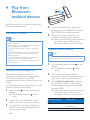
Play from Bluetooth device
After successful Bluetooth connection, play
audio on the Bluetooth device.
»» Audio streams from your Bluetooth
device to the speaker.
Reconnect the Bluetooth
device
•
•
Next time you turn on the speaker, the
speaker will reconnect the last connected
device automatically; or
On your Bluetooth device, select "Philips
ShoqBox XL" on your Bluetooth menu to
start connection.
Disconnect the Bluetoothenabled device
•
•
•
Speak through the
microphone
If Bluetooth connection is established, when
there is an incoming call on your phone, you
can speak through the built-in microphone on
SB8600.
Note
•• Music play pauses when there is an incoming call.
Enable or disable outdoor
sound effect
Press OUTDOOR repeatedly to enable or
disable the outdoor sound effect.
»» If the sound effect is enabled, the
OUTDOOR button lights up whte.
Press and hold for three seconds;
Disable Bluetooth on your device; or
Move the device beyond the
communication range.
»» The Bluetooth indicator flashes
white.
Connect another Bluetoothenabled device
1
2
Press and hold for three seconds to
disconnect the currently connected device.
»» The speaker enters Bluetooth pairing
mode.
Connect another Bluetooth device.
EN
7