1
Chapter
1
Introduction
Thank you for purchasing Synology VisualStation. VisualStation is a live-view solution designed to supplement
your Surveillance Station configuration. When paired with a Synology NAS, VisualStation allows you to
accomplish the following tasks:
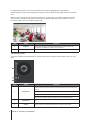
Monitor Real-time Feeds with Live View
VisualStation’s Live View feature allows you to monitor real-time video feeds from IP cameras that are paired with
your Synology NAS, without the need to constantly run a computer. You can adjust camera feeds with PTZ (pan,
tilt, and zoom) controls, or capture snapshots and save them to a USB drive. Moreover, camera feeds can be
arranged in layouts and customized depending on your individual environment and surveillance needs.
For more information, please refer to “Live View” on page 6.
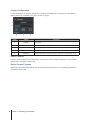
Play Recordings with Timeline
The timeline feature allows you to play back recordings that were captured with IP cameras and stored on your
Synology NAS, providing options to search for recordings based on camera or date. Recordings that were
captured at different times or by different cameras can be watched simultaneously, allowing you to easily compare
footage.
For more information, please refer to “Timeline” on page 9.
Manage Recordings and System Logs
VisualStation allows you to manage recordings and system logs. Recording footage can be played back,
downloaded to USB device, or locked to ensure important footage is not accidentally deleted.
For more information, please refer to “Recording List” on page 12, and “Log” on page 13.
Online Resources
Click on the links to obtain Synology's online resources.
• Knowledge Base: www.synology.com/knowledgebase
• Forum: forum.synology.com
• Download Center: www.synology.com/support/download.php
• Technical Support: www.synology.com/support/support_form.php
3