1
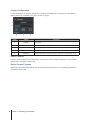
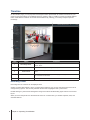
Layout Configuration
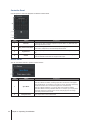
Layout configuration can be set on this panel. To configure VisualStation live view layouts from Surveillance
Station, please see “Customizing Live View Layouts” on page 4.
Item
Name
1.
Layouts
2.
Layout Switch
3.
Information
4.
Aspect Ratio
5.
Full Screen
Function
Create, remove, and manage layouts of VisualStation. The default layout cannot
be removed.
Select an existing layout setting.
Shows the description of each camera feed.
View each camera feed with fixed aspect ratio.
Display camera feeds layout in full screen. Right-click to exit full screen mode.
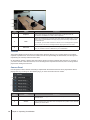
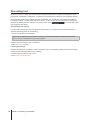
Patrol Controls
Patrols or preset positions can be selected from the drop-down menus located on this panel. For more details,
please refer to Surveillance Station Help.
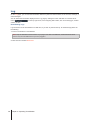
Device Output Features
Digital output and audio output features can be switched on/off on this panel. For more details, please refer to
Surveillance Station Help.
8 Chapter 3: Operating VisualStation