1
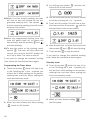
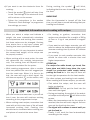
• When the internal temperature of the roast
reaches the temperature you have selected,
the oven will turn off, an alarm signal will
sound for a few seconds and the symbol
will blink.
• The roast is cooked to your taste and ready
to serve.
If you want to change the selected cooking
time, follow the instructions above again.
• Touch symbol
to stop the alarm. The
oven will display the current time and the
ON/OFF symbol lit up in white. The oven is
now off.
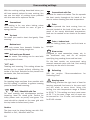
Other oven settings
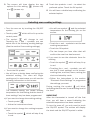
Child Safety Setting
Oven Light
This setting locks the oven, preventing small
children from playing with it. To activate:
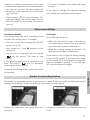
The inside light will go on:
• First turn on the oven touching the ON/OFF
symbol, if it is off.
• When the oven door is open. If the door is
not closed after a certain time, the light will
turn off to reduce power consumption.
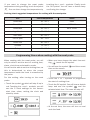
• Next, touch the – and OK symbols at the
same time.
• You will hear a long beep and see symbol
on the screen. The oven is now
locked.
If the glass fronted panel is touched at any
time, the symbol
will be displayed,
indicating the oven is locked.
• When any cooking setting is selected. The
light will turn off after a certain time.
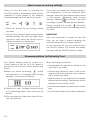
If you want to turn the light on during cooking,
touch the OK symbol. If you keep your finger
on this sensor for a few seconds, the light will
stay on throughout cooking. To turn the light
off, touch the symbol OK again.
To cancel the setting, simply repeat the same
instructions.
The handle for extracting shelves is used when you need to slide the shelf out and check what’s
cooking. See drawings. To take the shelf out of the oven, use oven gloves.
Position for cake shelf. The short hook over
the shelf.
Position for deep shelf. The long hook over the
shelf.
71
ENGLISH
Handle for extracting shelves