1
Speed and rolls · Maintenance
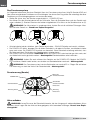
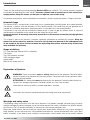
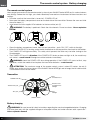
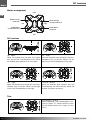
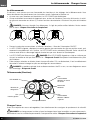
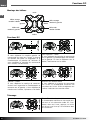
Trim left - right
When hoovering, the Quadrocopter must
stand in place. If it moves to the right, move
the trim button to the left until it stops, or
vice versa.
EN
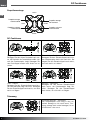
Trim left - right
When hoovering, the Quadrocopter must
stand in place. If it moves to the right, move
the trim button to the left until it stops, or
vice versa.
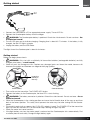
Speed and 360 degree flips and rolls
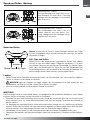
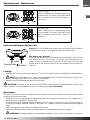
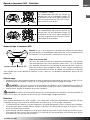
Speed: press the throttle lever button during the flight and the Quadrocopter becomes faster. Press again to return to slower speed.
press
Speed-button 3D-button
360 degree flips and rolls
Once you are familiar with the aforementioned maneuvers, you can venture to flips and rolls. Fly at least 1.5 m high, and then press the 3D
button. A sound indicated that the mode is active. Now move the right
control lever to the desired direction and the model rolls once around its
own axis.
Landing:
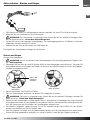
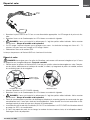
• Carefully push the left throttle lever rearward. Try to land „smooth“ without damaging the Quadrocopter.
NOTE: if the flight battery runs empty, the Quadrocopter does not respond accurately to your commands, the flight is unstable. In this case land immediately.
• Switch of the Quadrocopter and then the transmitter.
•
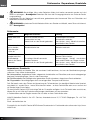
WARNING: the motor of the XciteRC Rocket 65XS may get very hot during operation. Allow to cool
down minimum 20 minutes before the next start to avoid damage. Fire hazard!
Maintenance
To have fun with your model over a long period, occasional service work is required to get your model in good
condition and to minimize wear.
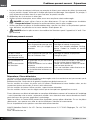
• Remove dirt or dust depending with compressed air or a soft brush after each use. For stubborn dirt, a
harder brush or a toothbrush can be used.
• To clean the body/fuselage no chemical cleaners such as thinners may used, as this damage the plastic
of the body/fuselage. Normally a piece of soft cloth is ok, stubborn dirt can be removed with washing-up
liquid.
• Check the tightness of all screws and tighten if necessary.
• Also check all connections, cables and power battery / rechargeable battery for damage.
•
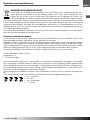
WARNING: Damaged batteries or rechargeable batteries must not be used again and must be
XciteRC Rocket 65XS
19