1
LIVA MINI PC USER MANUAL
29
Chapter 2
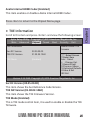
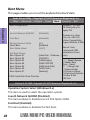
Bootup Numlock State (On)
This item enables you to select Numlock state.
Quiet Boot (Enabled)
This item enables or disables the quiet boot.
Boot Mode Select (UEFI)
Use this item to select boot mode.
Boot Option #1~7
These items show the boot priorities and can be used to set the
boot priorities of various device categories.
UEFI Hard Disk Drive Priorities
This item enables you to specify the sequence of loading the
operating system from the installing UEFI Boot drive. Press <Enter>
to view the submenu.