1
Dear Customer,
Thanks for choosing a Hamlet product. Please carefully
follow the instructions for its use and maintenance and,
once this item has run its life span, we kindly ask You to
dispose of it in an environmentally friendly way, by putting it in the
separate bins for electrical/electronic waste, or to bring it back to
your retailer who will collect it for free.
USB BATTERY BANK
USB Portable Battery for Tablet and Smartphone
We inform You this product is manufactured with materials and
components in compliance with RoHS directive 2011/65/EU; with
WEEE directive 2002/96/CE, 2003/108/CE Italian Legislative
Decree 2005/151 and EMC Directive 2004/108/EC for the
following standards:
EN 55022: 2010
EN 61000-3-2: 2006 + A1: 2009 + A2: 2009
EN 61000-3-3: 2013
EN 55024: 2010
EN 61000-4-2: 2009, EN 61000-4-3: 2006 + A1: 2008 + A2: 2010
EN 61000-4-4: 2012, EN 61000-4-5: 2006
EN 61000-4-6: 2014, EN 61000-4-8: 2010
EN 61000-4-11: 2004
The complete CE declaration of conformity of the product can be
obtained by contacting Hamlet at [email protected].
The information on the importer for your country can be found in
the “About Us” section of the Hamlet website at
www.hamletcom.com.
User Manual
XPW450BBK – XPW450BSV
www.hamletcom.com
Trademarks and changes
All trademarks and company names mentioned in this manual are
used for description purpose only and remain property of their
respective owners.
The material in this document is for information only. Contents,
specifications and appearance of the product are indicative and
may change without notice.
Product description
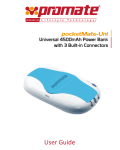
Hamlet Battery Bank is a portable external battery with 4500mAh
capacity and hi-power USB output, ideal for charging tablets,
smartphones and other mobile devices wherever you are. Hamlet
Battery Bank is also equipped with a practical flashlight and LED
indicators to verify the charge status. USB charging cable and
adapters for micro USB, iPhone 4 and 5 included.
Instruction
Checking the battery status
To check the charging status of the battery, gently press the power
button. The battery status is displayed with four LED indicators.
Power
indicator
1 light
on
2 lights
on
3 lights
on
4 lights
on
Battery
status
<25%
25~50%
50~75%
75~100%
Package content
• Battery bank
• USB charging cable
• Micro USB and iPhone 4/5 adapters
• User’s manual
When checking the battery status, the first light is blinking, the
battery needs to be recharged.
Specifications
• Battery type: Lithium-ion rechargeable battery
• Battery capacity: approx. 4500mAh
• Output (USB): 5V DC 1A
• Input (micro USB): 5V DC 1A
• Dimensions: 95 x 41 x 21 mm
• Weight: 130 g (approx.)
Charging the Battery Bank
1. Connect the charging cable to the input micro USB port (IN) of
the unit with the included Micro USB connector.
2. Connect the USB cable to the USB port of a computer or an AC
adapter with USB output.
During charging, the LED indicators on the top of the product
display the charging status of the unit.
Product overview
1. Output USB port
2. LED flashlight
3. Input micro USB port
4. LED light indicators (Blue) for
battery status checking
5. Power button *
Charging a mobile device
1. Connect the USB charging cable to the output USB port (OUT)
of the unit.
2. Plug the micro-USB or the iPhone connector required for your
device into the other end of the charging cable.
3. Then connect the cable to your portable device.
During charging, the LED indicators on the top of the product
display the remaining power of the external battery.
When your device is fully charged, the battery bank will
automatically go into saving mode to avoid overcharging.
* The power button is also used to
power on/off the flashlight and to
check battery status.
Use the LED flashlight
Press and hold the power button for few seconds until the torch
lights on. Press the power button again to turn the light off.
Maintenance
In order to keep your Battery Bank operating to its fullest potential,
make sure to do as following:
• Re-charge the Battery Bank once every three months when it is
not in use.
• Keep your Battery Bank dry and away from moist and corrosive
materials.
• Do not wash the USB Power Station with harsh chemicals,
soaps or detergents.
Warning
Read all instructions and warnings prior to using this product.
Failure to read and follow these safety instructions could result in
fire, explosion, electrical shock or other hazard, causing serious
and/or fatal injury and/or property damage.
• Do not modify, disassemble, open, drop, crush, puncture or
shred the product.
• Do not expose the product to rain or water.
• Keep away from open flame or sunlight to prevent heat buildup.
• Keep away from high voltage devices.
• This product is not a toy, keep away from children.
Insure that all persons who use the product read and follow these
warnings and instructions.