1
Set the Timer
With the timer function, you can let the
purifier operate for a set number of hours.
When the set time has elapsed, the purifier
automatically switches off.
You can use the timer function in the following
situation:
Situation
Choose a fan
speed manually
(see ‘Manual’)
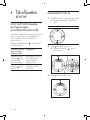
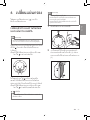
1
2
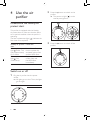
Press the
You will see
One of the lights ( , ,
or ) and one of the
lights ( , , or ) are on.
button to switch on the purifier.
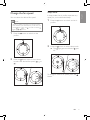
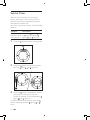
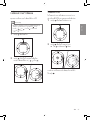
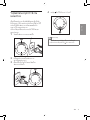
Press the button to activate the timer.
»» The light ( , , or ) goes on.
3
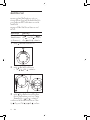
Press the button repeatedly to choose
the number of hours you want the
purifier to operate. The corresponding
light ( , , or ) goes on.
To deactivate the timer function, press the
button repeatedly until the light ( , , or )
is out.
10
EN