1
INSTALLATION INSTRUCTIONS
FSB-4228
FLAT PANEL DISPLAY ADAPTER PLATE
For SAMSUNG LTP227W
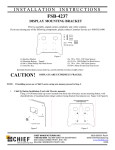
Prior to assembly, unpack carton completely and verify contents.
If you are missing any of the following components, please contact Customer Service at 1-800/582-6480.
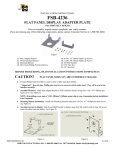
Figure 1
(1)
(1)
(1)
(4)
Base Adapter Bracket
Top Hanger Bracket
Center Interface Bracket
Non-tapped Mounting Buttons
(2) 10-24 x .75” Phillips Pan Head Screws
(4) 10-24 x .625” Phillips Pan Head Screws
(4 10-24 x .25” Phillips Pan Head Screws
(4) M4 x 8mm Phillips Pan Head Screws
(2) M4 X 6mm Phillips Pan Head Screws
BEFORE PROCEEDING, READ INSTALLATION INSTRUCTIONS COMPLETELY
CAUTION!
FLAT PANEL DISPLAYS ARE EXTREMELY FRAGILE.
1.
If flat panel display has table stand attached, remove prior to adapter bracket installation.
2.
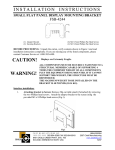
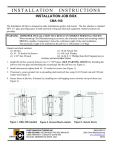
Assemble brackets and fasteners to display, as shown in figure 2 and 3.
Figure 3
Figure 2
Deleted: <sp>
8804-000230 Rev B
CHIEF MANUFACTURING INC. 1-800-582-6480, Fax: 1-877-894-6918, Email: [email protected]
11/28/05
Interface installation
2a. If using with any small flat screen system using Chief Manufacturing’s Q2 (5” x 5”) mounting system.
1.
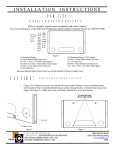
Assemble (4) mounting buttons to 5” (outer holes) pattern on the adapter brackets using (4) 10-24 x .625”
Phillips pan head screws as shown in Figure 4.
2.
Secure brackets together with (4) M4 X 6mm Phillips Pan Head Screws. See Figure 4.
3.
Secure adapter bracket to any mounting device using Chief Manufacturing’s Q2 (5” x 5”) mounting system.
2b. Optional VESA Mounting
1.
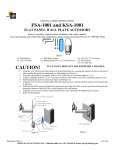
Assemble (4) 10-24 x .25” Phillips Pan Head Screws to 5” (outer holes) pattern on the adapter brackets as shown
in Figure 5.
2.
Using four inside tapped holes of interface bracket and M4 x 8mm Phillips Screws (provided), secure adapter
bracket to any mounting device using a 100mm x 100mm VESA pattern.
Figure 4
Figure 5
Page 2