1
EN
INTRODUCTION
Thank you for choosing Keep out´s Gaming Mouse X5.
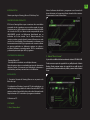
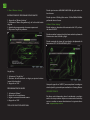
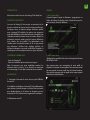
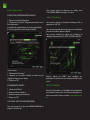
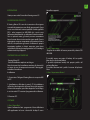
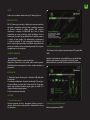
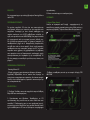
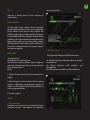
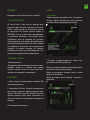
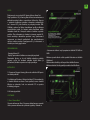
taskbar at the bottom right of the desktop. The Home Base
menu will appear.
PRODUCT DESCRIPTION
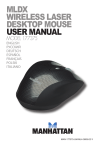
The X5 Gaming Mouse is one that focuses on the essential
needs of the players with a normal style of play. Works with
an optical sensor of extreme quality of 4-level adjustable
DPI, its values range from 400-3200dpi, and can be easily
identified by its central light indicator. With six Macro
buttons, users can store up to 6 different macros in each
of the five profiles. This information is stored in the internal
memory of the X5, which allows users to use their preferred
settings on different computers without reinstalling the
software or reconfiguration. The X5 is ambiguous and
suitable for all types of players!
PACKAGE CONTENTS
· Gaming Mouse X5
· Quick installation guide in various languages.
Note: Make sure that your package contains the items
described above. If any item is missing or damaged, please
contact your dealer.
INSTALLATION
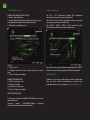
1. Connection: Connect the Gaming Mouse in a free USB
port on your PC.
2. Installation on Windows: Insert the installation CD into
your drive and double-click the icon for My Computer or
My Computer, then double-click the floppy drive where you
placed the CD and boot the installation program.
3. Restart your PC.
SOFTWARE
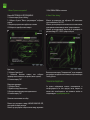
1. Menu “Home Base”
Open the software from Start - programs or icon of the
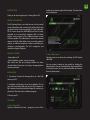
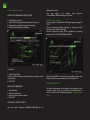
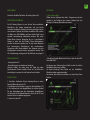
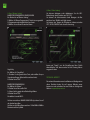
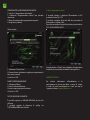
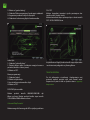
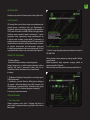
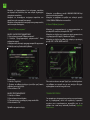
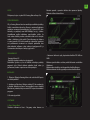
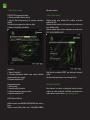
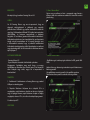
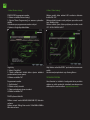
2. Menu “Main Frame”
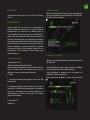
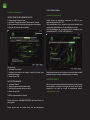
Adjusting mouse sensitivity by switching the DPI button
400-3200.
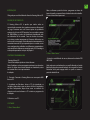
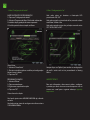
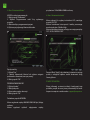
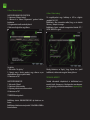
You can create a backup of your profile by clicking the
Backup button. You can restore backups of your profile from
the Restore button. You can delete all profiles and macros
from the Reset button.