1
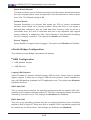
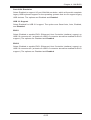
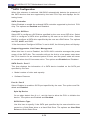
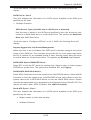
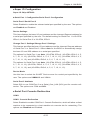
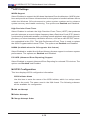
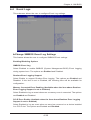
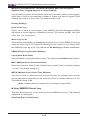
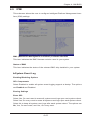
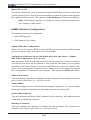
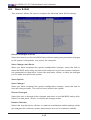
Chapter 4: AMI BIOS Super IO Configuration Super IO Chip AST2400 Serial Port 1 Configuration/Serial Port 2 Configuration Serial Port 1/Serial Port 2 Select Enabled to enable the onboard serial port specified by the user. The options are Enabled and Disabled. Device Settings This item displays the base I/O port address and the Interrupt Request address for a serial port specified by the user. The default setting for Serial Port 1 is IO=3F8h IRQ=4; for Serial Port 2 is IO=2F8h, IRQ=3. Change Port 1 Settings/Change Port 2 Settings This feature specifies the base I/O port address and the Interrupt Request address of Serial Port 1 or Serial Port 2. Select Auto for the BIOS to automatically assign the base I/O and IRQ address to a serial port specified. The options for Serial Port 1 are Auto, (IO=3F8h; IRQ=4), (IO=3F8h; IRQ=3, 4, 5, 6, 7, 10, 11, 12), (IO=2F8h; IRQ=3, 4, 5, 6, 7, 10, 11, 12); (IO=3E8h; IRQ=3, 4, 5, 6, 7, 10, 11, 12), and (IO=2E8h; IRQ=3, 4, 5, 6, 7, 10, 11, 12). The options for Serial Port 2 are Auto, (IO=2F8h; IRQ=3), (IO=3F8h; IRQ=3, 4, 5, 6, 7, 10, 11, 12), (IO=2F8h; IRQ=3, 4, 5, 6, 7, 10, 11, 12); (IO=3E8h; IRQ=3, 4, 5, 6, 7, 10, 11, 12), and (IO=2E8h; IRQ=3, 4, 5, 6, 7, 10, 11, 12). Device Mode Use this item to select the SUART Clock source for a serial port specified by the user. The options are 24MHz/13 and 24MHz. Serial Port 2 Attribute Select SOL to use COM Port 2 as a Serial_Over_LAN (SOL) port for console redirection. The options are COM and SOL. Serial Port Console Redirection COM 1 COM 1 Console Redirection Select Enabled to enable COM Port 1 Console Redirection, which will allow a client machine to be connected to a host machine at a remote site for networking. The options are Disabled and Enabled. 4-31