1
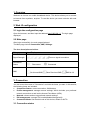
1. Overview Welcome to choose our mobile broadband device. This device allows you to connect to internet from anywhere, anytime. To use this device you need a device with web browser. 2. Web UI configuration 2.1 login the configuration page Open the browser, and then input the address http://192.168.1.1. The login page displayed 2.2 Main page After login successfully, the main page displayed The Main page include Connection, SMS, Settings. The icon description as bellow: Category Icon Display Signal Strength Connection Status SMS From no signal to excellent Disconnect Connected No Unread SMS, New Received SMS, SMS is full 3. Connection You can move the mouse to "Connection" and click the items you want. In this section, the following items are included: Connection Status: current connection, WAN status Profile management: manage account settings, Which includes your preferred network connection as well as the Access Point Name (APN). Network: choose and set up preferred network settings. PIN management: manage PIN, enable/disable/change/verify. Connection Mode: Set the dial mode of this device, default is AUTO. 3.1 Connection status 4