1
18 Initial use
3.3 Connecting the
dLAN 1200+ WiFi ac
To
disconnect
the
dLAN 1200+ WiFi ac from the mains
supply, unplug the device. The power
outlet and all connected network devices should be easily accessible so
that you can pull the mains plug
quickly if needed.
The device may be used only indoors.
Note the WiFi key of the dLAN 1200+ WiFi ac
before the networking procedure. You will find
the adapter's unique key (WiFi key) on the label
on the back of the housing.
In order to connect the dLAN 1200+ WiFi ac to
your laptop, tablet or smartphone later via WiFi,
enter the noted WiFi key as the network security key.
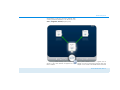
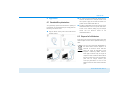
In the following sections we describe how to connect
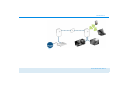
the dLAN 1200+ WiFi ac and integrate it into the network. We clarify the exact procedures based on potential network scenarios:
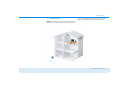
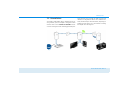
3.3.1 Single Kit – Expanding an existing
network
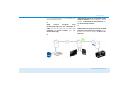
햲
devolo dLAN 1200+ WiFi ac
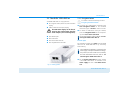
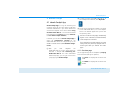
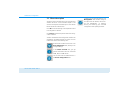
Plug the dLAN 1200+ WiFi ac into a wall socket.
The adapter is ready to operate once the indicator
light of the encryption button with the home icon
turns white (after approx. 50 seconds).
Integrating the dLAN 1200+ WiFi ac into an existing dLAN network
Before you can use the dLAN 1200+ WiFi ac in your
dLAN network, first you have to connect it to your existing dLAN devices as a network. This is accomplished
by using a shared dLAN password. This forms a delimited dLAN network. Shared use of the dLAN password
is used both for access control for the dLAN network
and for encryption (and thus interception protection) of
the transmitted data. The dLAN password can be set in
different ways:
dLAN network encryption at the touch of a button (home icon)
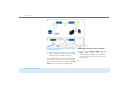
햳
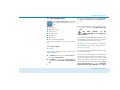
First press the encryption button (for about 1
second) on an adapter in your existing network
and then, within 2 minutes, press the encryption button with the home icon (for about 1 second) on the new dLAN 1200+ WiFi ac.