1
10Other features
To deactivate or re-activate an alarm timer
• Press SLEEP/TIMER repeatedly.
Tip
Set the alarm timer
•• In BT, AUDIO IN or AUX IN mode, the alarm timer
cannot be set.
•• If the disc or USB source is selected but no audio file
can be played, radio is activated automatically.
This unit can be used as an alarm clock. You can
select disc, radio or USB as alarm source.
Note
•• If you have set a record timer and an alarm timer, only
the latest timer will be activated.
1
2
3
4
5
6
Make sure that you have set the clock
correctly.
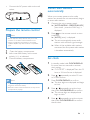
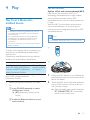
Press and hold SLEEP/TIMER for more
than two seconds.
»» 'TIMER SET' is displayed. Then, a
prompt to select the sound source is
displayed.
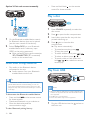
Press SOURCE to select a source from
DISC, USB, FM and AM, then press SLEEP/
TIMER to confirm.
»» In 12 hour format, AM or PM is
displayed. In this case, press / to
select AM or PM. Then the hour digits
are displayed and begin to blink.
»» In 24 hour format, the hour digits are
displayed and begin to blink.
Set the sleep timer
This unit can switch to standby automatically
after a set period of time.
• When the unit is turned on, press SLEEP/
TIMER repeatedly to select a set period of
time (in minutes).
To deactivate sleep timer
• Press SLEEP/TIMER repeatedly until [OFF]
(off) is displayed.
Restore default settings
You can also restore the default settings of the
unit.
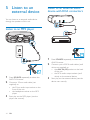
• In any mode, press and hold both
and
PRESET - on the front panel for more than
two seconds.
»» After a while, 'RESET OK' is displayed.
Then, the device reboots automatically.
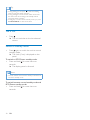
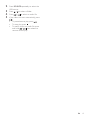
Press / repeatedly to set the hour,
then press SLEEP/TIMER to confirm.
»» The minute digits are displayed and
begin to blink.
Press / repeatedly to set the minute,
then press SLEEP/TIMER to confirm.
»» A prompt to select the volume level is
displayed.
Press VOL +/- to select the desired
volume level, then press SLEEP/TIMER to
confirm.
»» The alarm timer is set and activated.
EN
19