1
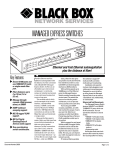
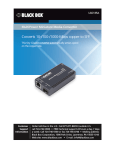
8-Port Gigabit 802.3at/af PoE Switch
8-Port Gigabit 802.3at/af PoE Switch
Temperature Tolerance — Operating: +32 to
+131° F (0 to +55° C);
Storage: -4 to + 194° F (-20 to +90° C)
2.3 Features
Relative Humidity — 10 to 90%, noncondensing
• All eight ports support PSE/PoE.
Power — Input: 100–240 VAC/50-60 Hz;
Output: 48 VDC per port, (8) ports at full 30 W
output supported;
Consumption: 250 watts (maximum)
• S upports up to 30 W maximum power for each
PSE/PoE port.
Size — 1.8”H x 7.3”W x 11”D (4.5 x 18.5 x 28 cm)
• Auto-learns network configurations.
Shipping Weight — 5.1 lb. (2.3 kg)
• Auto-detects full-/half-duplex modes for any port.
2. Overview
2.1 Introduction
• Offers dedicated full-duplex 2000-Mbps bandwidth.
This switch provides eight 10-/100-/1000-Mbps ports.
It was designed for easy installation and high
performance in an environment where traffic is on the
network and the number of users increases
continuously.
• IEEE 802.3x flow control for full-duplex and backpressure flow control for half-duplex operation.
The switch installs where space is limited and provides
smooth network migration and easy upgrade to
network capacity. It can be rackmounted in a 19”
cabinet or rack.
• Auto-MDI/MDI-X function for any port.
8-Port Gigabit 802.3at/af PoE Switch
• Each port autonegotiates between 10, 100, and
1000 Mbps.
Your package should contain the following items.
If anything is missing or damaged, contact Black Box
Technical Support at 724-746-5500 or
[email protected].
• (1) 8-Port 802.3at/af PoE Gigabit Ethernet Switch
7
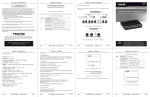
Figure 2-2. Back panel.
Table 2-1. Components.
• Mounts in a 19” rack.
• Store-and-forward switching methods.
2.2 What’s Included
6
• Non-blocking and non-head-of-line blocking full
wire-speed forwarding.
• Smart plug-and-play.
2.4 Hardware Description
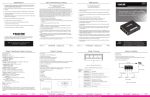
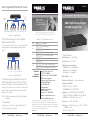
Figures 2-1 and 2-2 show the switch’s front and back
panels. Table 2-1 describes its components.
2
4
Component
Description
1
(8) RJ-45 connectors
Link to 10/100/1000 Ethernet devices
2
(8) ACT LEDs
Lights when port is connected; flashes
when data is transmitting or receiving.
3
(8) PoE LEDs
Lights when port is linked to power
device; Off when no power device is
connected.
4
(8) 10/100 LEDs
Off when port is connected to
10 Mbps; On when ports is
connected to 100 Mbps
5
(8) 1000 LEDs
On when port is connected to
1000 Mbps
6
Power LED
Lights when power to the unit is on
7
3-prong receptacle
Links to 100–240 VAC power cord
3. Installation
3.1 Switch/Hub to 8-Port Gigabit 802.3at/af
PoE Switch
This switch provides automatic crossover detection for
any port so it’s simple to uplink to another switch
without using a crossover cable.
5
3
1
• (1) power cord
Number
Figure 2-1. Front panel.
• (1) rackmount kit: (2) brackets, (2) screws
• This user’s manual
LPB1308A
724-746-5500 | blackbox.com
Page 2
LPB1308A
724-746-5500 | blackbox.com
Page 3
LPB1308A
724-746-5500 | blackbox.com
Page 4