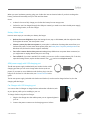
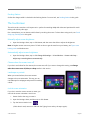
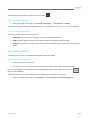
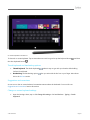
1
To do this
Press this…
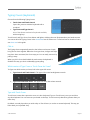
Increase the brightness of the keys
Tap the F2 key repeatedly.
Decrease the brightness of the keys
Tap the F1 key repeatedly.
Turn backlighting off
Press and hold the F1 key.
Turn backlighting on
Press and hold the F2 key.
Function keys
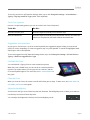
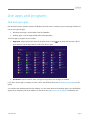
If you want to use a function key (F1-F12), use the Fn key in combination with a key from the top row.
For example, for F5, press Fn +
.
Function lock/unlock (Fn+Caps)
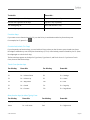
If you frequently use function keys, you can lock the Fn key so that you don’t have to press it each time. Press
Fn+Caps to make the top row of keys be function keys (F1-F12). Once locked, press the Search key for F5. (Press
Fn+Caps again to unlock the Fn key.)
The function keys appear on the keys for Type Cover, Type Cover 2, and Touch Cover 2. If you have a Touch
Cover, here are the function keys:
Touch Cover function keys
For this key
Press this
For this key
Press this
F1
Fn + Mute
F7
Fn + Devices
F2
Fn + Volume Down
F8
Fn + Settings
F3
Fn + Volume Up
F9
Fn + Home
F4
Fn + Play/Pause
F10
Fn + End
F5
Fn + Search
F11
Fn + Page Up
F6
Fn + Connect
F12
Fn + Page Down
More function keys for either Typing Cover
For this key
Press this
For this key
Press this
Page up
Fn + Up arrow
Page down
Fn + Down arrow
Home
Fn + Left arrow
End
Fn + Right arrow
© 2014 Microsoft
Page 26