1
Appendix 57
Controlling a TV with
the Supplied Remote
Control
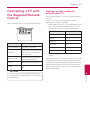
You can control your TV using the buttons below.
Setting up the remote to
control your TV
You can operate your TV with the supplied remote
control.
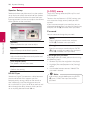
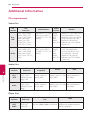
If your TV is listed in the table below, set the
appropriate manufacturer code.
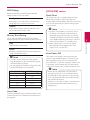
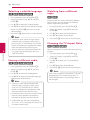
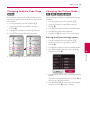
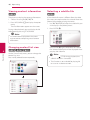
1. While holding down 1 (TV POWER) button, and
press the manufacturer code for your TV with
the numerical buttons (see the table below).
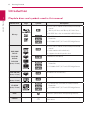
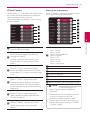
Manufacturer
Code number
LG
1(Default), 2
Zenith
1, 3, 4
GoldStar
1, 2
By pressing
You can
Samsung
6, 7
1 (TV POWER)
Turn the TV on or off.
Sony
8, 9
AV/INPUT
Switch the TV’s input source
between the TV and other
input sources.
Hitachi
4
PR/CH W/S
Scan up or down through
memorized channels.
VOL +/–
Adjust the volume of the TV.
MUTE
Turn the TV’s volume on or
off.
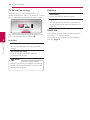
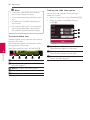
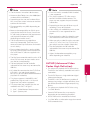
,,Note
Depending on your TV, some or all buttons may not
function on the TV, even after entering the correct
manufacturer code. When you replace the batteries
of the remote, the code number you have set may
be reset to the default setting. Set the appropriate
code number again.
6
Appendix
Depending on the unit being connected, you
may not be able to control your TV using some
of the buttons.
2. Release the 1 (TV POWER) button to complete
setting.