1
24 System Setting
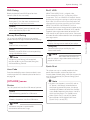
Initial Setup
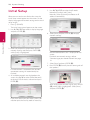
When you turn on the unit for the first time, the
initial setup wizard appears on the screen. Set the
display language and network settings on the initial
setup wizard.
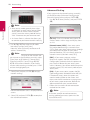
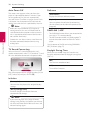
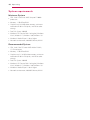
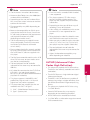
5.Use W/S/A/D to select the IP mode
between [Dynamic] and [Static].
Normally, select [Dynamic] to allocate an IP
address automatically.
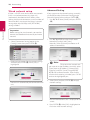
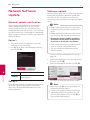
1.Press 1 (POWER).
The initial setup wizard appears on the screen.
2.Use W/S/A/D to select a display language
and press ENTER (b).
6. Select [Next] and press ENTER (b) to apply
network settings.
3
System Setting
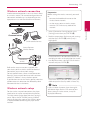
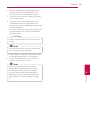
3. Read and prepare the preparations for the
network settings and then press ENTER (b)
while [Start] is highlighted.
Network connection status is displayed on the
screen.
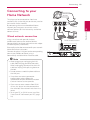
For details on network settings, refer to
“Connecting to your Home Network” on page
19.
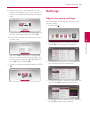
7. Select [Next] and press ENTER (b).
8. Press ENTER (b) to verify the test tone signals of
the speakers.
If wired network is connected, the network
connection setting will automatically be
finished.
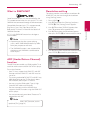
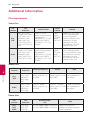
4. All available networks are displayed on the
screen. Use W/S to select [Wired Network]
or desired SSID of wireless network and press
ENTER (b).
After verifying the test tone signals, press ENTER
(b) while [Stop] is highlighted. Select [Next]
and press ENTER (b).
If you have security on your access point, you
need to input the security code as necessary.