1
Table of Contents
46
46
46
47
47
48
48
48
49
49
50
50
51
51
52
52
53
53
53
53
54
54
54
54
54
54
54
55
55
56
56
57
58
58
– Hearing a different audio
– Watching from a different angle
– Changing the TV Aspect Ratio
– Changing subtitle Code Page
– Changing the Picture Mode
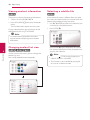
– Viewing content information
– Changing content list view
– Selecting a subtitle file
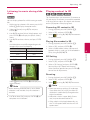
– Listening to music during slide show
– Playing content to 3D
Advanced Features
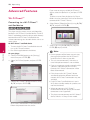
– Wi-Fi Direct™
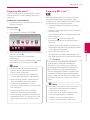
– Enjoying Miracast™
– Enjoying BD-Live™
– Audio CD recording
– Recording from FM radio or AUX
source
– Enjoying web browsing
– LG AV Remote
– Private Sound Mode
– Using an USB keyboard or mouse
Radio Operations
– Listening to the radio
– Presetting the Radio Stations
– Deleting a saved station
– Deleting all the saved stations
– Improving poor FM reception
– See information about a radio station
Using the Premium
Using the LG Smart World
– Signing in
– Searching online content
Using the My Apps Menu
Using Bluetooth technology
– Listening to music stored on the
Bluetooth devices
7
5Troubleshooting
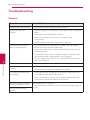
60Troubleshooting
60 – General
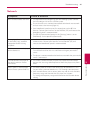
61 – Network
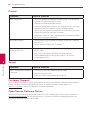
62 – Picture
62 – Sound
62 – Customer Support
62 – Open Source Software Notice
1
2
6Appendix
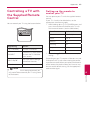
63 Controlling a TV with the Supplied
Remote Control
63 – Setting up the remote to control your
TV
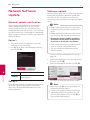
64 Network Software Update
64 – Network update notification
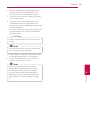
64 – Software update
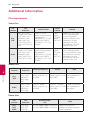
66 Additional Information
66 – File requirement
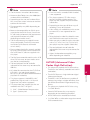
67 – AVCHD (Advanced Video Codec High
Definition)
68 – About DLNA
68 – Certain system requirements
68 – Compatibility notes
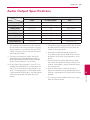
69 Audio Output Specifications
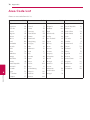
70 Area Code List
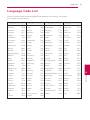
71 Language Code List
72 Trademarks and Licenses
74Specifications
78Maintenance
78 – Handling the unit
78 – Notes on discs
79 Important Information relating to Network
Services
Some of the content in this manual may differ from your player depending on the software of the
player or your service provider.
3
4
5
6