1
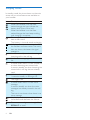
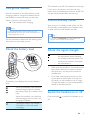
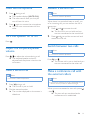
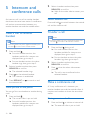
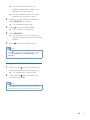
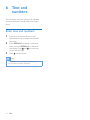
Display icons
In standby mode, the icons shown on the main
screen tell you what features are available on
your handset.
Icon
/
Descriptions
When the handset is off the base
station/charger, the bars indicate the
battery level (from full to low).
When the handset is on the base
station/charger, the bars keep scrolling
until charging is complete.
The empty battery icon flashes and you
hear an alert tone.
The battery is low and needs recharging.
It displays the connection status between
the handset and base station. The more
bars are shown, the better the signal
strength is.
It remains steadily on when browsing
incoming calls in the call log.
It indicates an outgoing call in the redial
list.
It flashes when there is a new missed call
or when browsing new missed calls.
It remains steadily on when browsing the
missed calls in call log that are already
read.
It flashes when receiving incoming call.
It remains steadily on during a call.
The ringer is off.
It flashes when there is a new voice
message.
It remains steadily on when the voice
messages are already viewed in the call
log.
The icon is not shown when there is no
voice message.
It is displayed when you scroll up/down a
list/increase and decrease the volume.
There are more digits on the right. Press
REDIAL/C to read.
6
EN