1
English
Video, audio and picture options
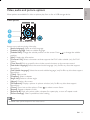
More options are available for video or picture play from a disc or USB storage device.
Video options
2
3
1
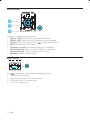
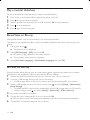
Access more options during video play.
+ [Audio Language]: Select an audio language.
+ [Subtitle Language]: Select a subtitle language.
+ [Subtitle Shift]: Change the subtitle position on the screen. Press
to change the subtitle
position.
+ [Info]: Display play information.
+ [Character Set]: Select a character set that supports the DivX video subtitle (only for DivX
videos).
+ [Time Search];$%&#
*
+ [2nd Audio Language]: Select the second audio language (only for Blu-ray discs that support
BonusView).
+ [2nd Subtitle Language]: Select the second subtitle language (only for Blu-ray discs that support
BonusView).
+ [Titles]: Select a title.
+ [Chapters]: Select a chapter.
+ [Angle List]: Select a camera angle.
+ [Menus]: Display a disc menu.
+ [PIP Selection]: Display a picture-in-picture window (only for Blu-ray discs that support
BonusView).
+ [Zoom]: Zoom into a video picture. Press
to select a zoom factor.
+ [Repeat]: Repeat a chapter or title.
+ [Repeat A-B]: Mark two points within a chapter for repeat play, or turn off repeat mode.
+ [Picture Settings];$
*
Note
+ Available video options depend on the video source.
EN
11