1
A75MD+/A78MD
3.3
Software
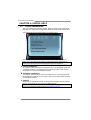
Installing Software
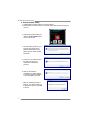
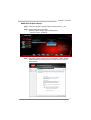
1. Insert the Setup DVD to the optical drive. The driver installation program would
appear if the Autorun function has been enabled.
2. Select Software Installation, and then click on the respective software title.
3. Follow the on-screen instructions to complete the installation.
Note1: All the information and content about following software are subject to be changed
without notice. For better performance, the software is being continuously updated.
Note2: The information and pictures described below are for your reference only. The actual
information and settings on board may be slightly different from this manual.
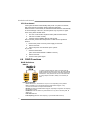
Launching Software
After the installation process is completed, you will see the software icon showing on
the desktop. Double-click the icon to launch it.
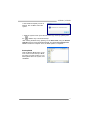
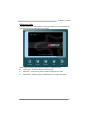
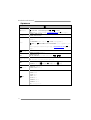
eHot-Line
eHot-Line is a convenient utility that helps you to contact with our Tech-Support
system. This utility will collect the system information which is useful for analyzing the
problem you may have encountered, and then send these information to our
tech-support department to help you fix the problem.
Note: Before you use this utility, please set Outlook Express as your default e-mail client application
program.
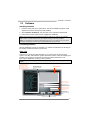
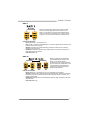
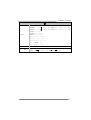
represents important
information that you
must provide. Without
this information, you may
not be able to send out
the mail.
*
This block will show
the information which
would be collected in
the mail.
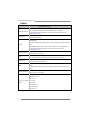
condition
*Describe
of your system.
your area or
*Select
the area close to you.
Provide the e-mail
address that you would
like to send the copy to.
the name of
*Provide
the memory module
manufacturer.
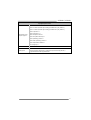
Provide the name of
the power supply
manufacturer and the
model no.
Send the mail out.
Exit this dialog.
Save these information to a .txt file
21