1
USER'S MANUAL OF AUTOMOBILE HEADREST DVD PLAYER
..
.EleytrQnjgAlbJ1m
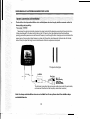
The player features strong electronic album function, the user may record his/her photos in the video disk or
external memorizer and browse the photos through the player, what's more, the user may zoom in or out the photo
and turn it upward/downwardlleftward/rightward, it's unnecessary to worry about the damage or loss of photos.
PJaYingJP,.EG pisks
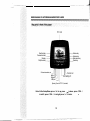
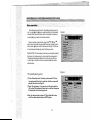
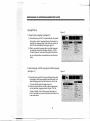
1. Load JPEG disk, it shall stop on the first picture of the first directory after being searched;
2. Use the up/down key to select the picture file, press Play key or confirm to start to play from the selected file;
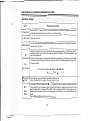
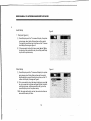
3. In playing pausing to play picture, you may press the direction key (up/down/left/right) to switch the display
'
angle.
[A] UP: tum the picture upward
[ .... ] LEFT: rotate 90 degree leftward
[T] DOWN: turn the picture horizontally
[�] RIGHT: rotate 90 degree right;yard
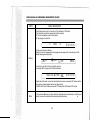
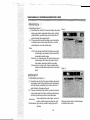
1. In playing MP3 and JPEG mixing disk, if the user wants to browse the pictures in playing MP3, press direction
key to move the cursor on the picture to be browsed, press Enter key to enter JPEG browse state.
2. Further press direction key to enter the picture play menu, after selecting one picture in the image directory
menu, press Play key to play the pictures in order.
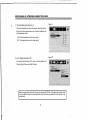
3. Press Left/Right key to switch the state between MP3 and image browse.
�
",Q,
autlor;;,...-
•
•
MP3 disk without image has audio signal output only;
Some JPEG pictures couldn't be zoomed in for the inc6nsistent picture format.
19