1
AC1200 WiFi Range Extender
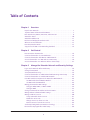
Connect Ethernet-Enabled Devices . . . . . . . . . . . . . . . . . . . . . . . . . . . . . . . . . . . . 73
Chapter 4 Maintain and Monitor the Extender
Recover the admin Password. . . . . . . . . . . . . . . . . . . . . . . . . . . . . . . . . . . . . . . . . .
Back Up and Manage the Extender Configuration . . . . . . . . . . . . . . . . . . . . . . . .
Back Up the Configuration Settings. . . . . . . . . . . . . . . . . . . . . . . . . . . . . . . . . .
Restore the Configuration Settings . . . . . . . . . . . . . . . . . . . . . . . . . . . . . . . . . .
Return the Extender to Its Factory Default Settings . . . . . . . . . . . . . . . . . . . . . .
Use the Restore Factory Settings Button . . . . . . . . . . . . . . . . . . . . . . . . . . . . .
Erase the Extender Configuration Settings. . . . . . . . . . . . . . . . . . . . . . . . . . . .
Update the Firmware . . . . . . . . . . . . . . . . . . . . . . . . . . . . . . . . . . . . . . . . . . . . . . . .
View the Status and Traffic Statistics of the Extender . . . . . . . . . . . . . . . . . . . .
View the Wired and WiFi Network Devices . . . . . . . . . . . . . . . . . . . . . . . . . . . . . .
76
76
77
77
78
79
79
80
81
85
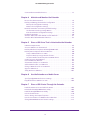
Chapter 5 Share a USB Drive That Is Attached to the Extender
USB Drive Requirements . . . . . . . . . . . . . . . . . . . . . . . . . . . . . . . . . . . . . . . . . . . . . 88
Access a USB Drive on the Network . . . . . . . . . . . . . . . . . . . . . . . . . . . . . . . . . . . . 88
Back Up Windows Computers with ReadySHARE Vault. . . . . . . . . . . . . . . . . . . . 89
Back Up Mac Computers with Time Machine . . . . . . . . . . . . . . . . . . . . . . . . . . . . 90
Set Up a USB Hard Drive on a Mac. . . . . . . . . . . . . . . . . . . . . . . . . . . . . . . . . . . 90
Prepare to Back Up a Large Amount of Data . . . . . . . . . . . . . . . . . . . . . . . . . . 91
Use Time Machine to Back Up onto a USB Hard Drive . . . . . . . . . . . . . . . . . . 91
Control Access to the USB Drive. . . . . . . . . . . . . . . . . . . . . . . . . . . . . . . . . . . . . . . 92
Use FTP Within the Network . . . . . . . . . . . . . . . . . . . . . . . . . . . . . . . . . . . . . . . . . . 94
View Network Folders on a USB Drive . . . . . . . . . . . . . . . . . . . . . . . . . . . . . . . . . . 95
Add a Network Folder on a USB Drive . . . . . . . . . . . . . . . . . . . . . . . . . . . . . . . . . . 96
Change a Network Folder on a USB Drive . . . . . . . . . . . . . . . . . . . . . . . . . . . . . . . 98
Approve USB Devices . . . . . . . . . . . . . . . . . . . . . . . . . . . . . . . . . . . . . . . . . . . . . . . 100
Safely Remove a USB Drive . . . . . . . . . . . . . . . . . . . . . . . . . . . . . . . . . . . . . . . . . . 101
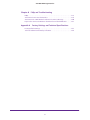
Chapter 6 Use the Extender as a Media Server
Specify ReadyDLNA Media Server Settings . . . . . . . . . . . . . . . . . . . . . . . . . . . . 103
Play Media from a USB Drive on TiVo . . . . . . . . . . . . . . . . . . . . . . . . . . . . . . . . . 104
Chapter 7 Share a USB Printer Through the Extender
Install the Printer Driver and Cable the Printer. . . . . . . . . . . . . . . . . . . . . . . . . . 108
Download the ReadySHARE Printer Utility . . . . . . . . . . . . . . . . . . . . . . . . . . . . . 108
Install the ReadySHARE Printer Utility . . . . . . . . . . . . . . . . . . . . . . . . . . . . . . . . . 108
Use the Shared Printer . . . . . . . . . . . . . . . . . . . . . . . . . . . . . . . . . . . . . . . . . . . . . . 110
View or Change the Status of a Printer . . . . . . . . . . . . . . . . . . . . . . . . . . . . . . . . 111
Use the Scan Feature of a Multifunction USB Printer . . . . . . . . . . . . . . . . . . . . 112
Change NETGEAR USB Control Center Settings . . . . . . . . . . . . . . . . . . . . . . . . . 113
4