1
Table Of Contents
1. Unpacking and Installation....................1
1.1.Unpacking........................................1
1.2. Package Contents............................1
1.3. Installation Notes..............................1
1.4. Mounting on a Wall...........................2
4.4. Play options................................... 11
4.4.1.Playing music files.............. 11
4.4.2.Playing movie files.............. 12
4.4.3.Playing photo files............... 12
5. Change your settings.......................... 13
5.1.Settings......................................... 13
5.1.1.Picture menu....................... 13
5.1.2.Sound menu........................ 14
5.1.3.General settings menu........ 14
5.2. Network Settings........................... 15
2. Parts and Functions...............................3
2.1. Control Panel...................................3
2.2. Input/Output Terminals.....................4
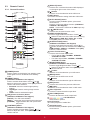
2.3. Remote Control................................5
2.3.1.General functions...................5
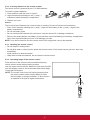
2.3.2.Inserting batteries in the
remote control........................6
2.3.3.Handling the remote control...6
2.3.4.Operating range of the
remote control........................6
6. Input mode........................................... 16
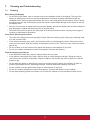
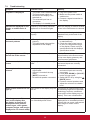
7. Cleaning and Troubleshooting........... 17
7.1.Cleaning........................................ 17
7.2.Troubleshooting............................. 18
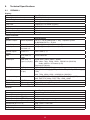
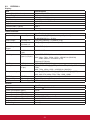
8. Technical Specifications..................... 19
8.1.CDE4600-L.................................... 19
8.2.CDE5500-L.................................... 21
3.Connection..............................................7
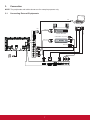
3.1. Connecting External Equipments.....7
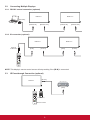
3.2. Connecting Multiple Displays...........8
3.2.1.RS232C control connection
(optional)................................8
3.2.2.IR connection (optional).........8
3.3. IR Pass-through Connection
(optional)..........................................8
3.4. Wire-connecting to Network
(optional)..........................................9
9. Other Information................................ 23
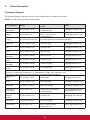
Customer Support................................. 23
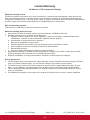
Limited Warranty ................................... 24
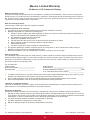
Mexico Limited Warranty....................... 26
4.Operation.............................................. 10
4.1. Watch the Connected Video
Source........................................... 10
4.2. Change Picture Format................. 10
4.3. Play Multimedia Files.................... 10
4.3.1.Play files from computer
and mobile device............... 10
4.3.2.USB Multimedia Player
for Scheduled Playback of
Videos, Photos and Music.. 10
4.3.3.Play multimedia files from
USB device......................... 11
vi