1
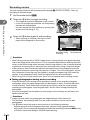
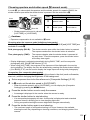
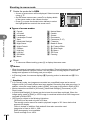
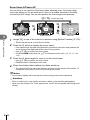
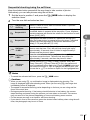
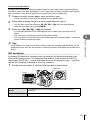
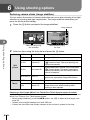
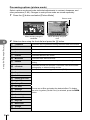
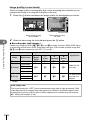
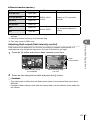
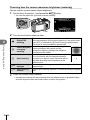
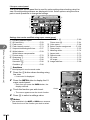
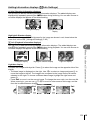
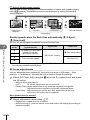
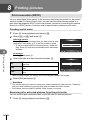
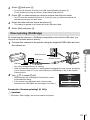
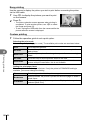
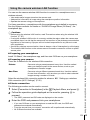
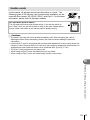
Recording movies You can record movies in all shooting modes except J (PHOTO STORY). First, try recording in full auto mode. 2 Shooting using the viewfinder 1 Set the mode dial to A. 2 Press the R button to begin recording. 3 Press the R button again to end recording. R button • The image being shot is displayed on the monitor. • If you look through the viewfinder, the image being recorded will be displayed. • You can change the focus location by touching the screen while recording (P. 27). • When shooting is complete, the super control panel will be displayed on the monitor. 00:02:18 Displayed during recording Recording time y Cautions • When using a camera with a CMOS image sensor, moving objects may appear distorted due to the rolling shutter phenomenon. This is a physical phenomenon whereby distortion occurs in the filmed image when shooting a fast-moving subject or due to camera shaking. In particular, this phenomenon becomes more noticeable when using a long focal length. • If the camera is used for extended periods, the temperature of the image pickup device will rise and noise and colored fog may appear in images. Turn off the camera for a short time. Noise and colored fog may also appear in images recorded at high ISO sensitivity settings. If the temperature rises further, the camera will turn off automatically. • When using a Four Thirds system lens, the AF will not operate while recording movies. Taking photographs during movie recording • Press the shutter button during movie recording to pause movie recording and take a photograph. Movie recording restarts after the photograph is taken. Press the R button to end recording. Three files will be recorded to the memory card: the movie footage preceding the photograph, the photograph itself, and the movie footage following the photograph. • Only one photograph can be taken at a time during movie recording; the self-timer and flash cannot be used. y Cautions • Image size and quality for photographs are independent of movie frame size. • The autofocus and metering used in movie mode may differ from that used to take photographs. • The R button cannot be used to record movies in the following instances: Multiple exposure (still photography also ends.)/shutter button pressed halfway/ during bulb, time or composite photography/sequential shooting/Panorama/SCN mode (e-Portrait, Hand-Held Starlight, 3D)/time lapse shooting 22 EN