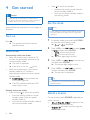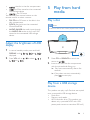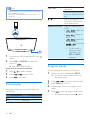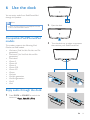
1
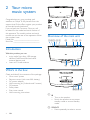
/MENU
• Stop the play of music.
• Access the playlist of iPod/iPhone.
c DOCK
• Connect a compatible iPod/iPhone/
iPad for music play.
p
d FM/ CD
• Switch the source to FM tuner or the
disc in the disc compartment..
q OK
• Confirm the current option.
e PRESET/ALBUM /
• Skip to the previous or next album.
• Select a preset radio station.
• Navigate through iPod/iPhone playlist.
f
/
• Skip to the previous or next track.
• Press and hold to search within a track.
• Tune to a radio station.
g + VOL • Increase or decrease the volume level.
h
• Start, pause, or resume play.
i REPEAT/SHUFFLE
• Select a play mode.
j MUTE
• Mute or restore volume.
k SOUND
• Select a preset sound effect.
l CLOCK
• Set the clock.
m TIMER/SLEEP
• Set the alarm timer.
• Set the sleep timer.
n PROG
• Program radio stations.
• Program tracks that are stored in a disc
or USB storage device.
o DISPLAY
• In working mode, press to display the
current time.
• In normal standby mode, press and
hold to adjust the brightness of LCD
display.
6
EN
r USB/AUDIO IN
• Switch the source to USB storage
device or the audio input that is
transferred through the AUDIO IN
socket.