1
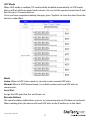
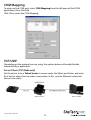
Set the device to be a Telnet Client. In the case the Ethernet connected device is the
Telnet server or other NETRS2321P in server mode.
IP Address
Depending on your selections above, there are one of three scenarios:
TCP Server - Disabled
TCP Client - Remote Server Address
UDP - Remote Target Address
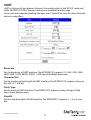
Local Port
Assigns the local port for the device to listen on
TCP Server – Assigns the TCP server port number that the server will listen on
TCP Client – Disabled
UDP – Assign the UDP port that this unit listens on
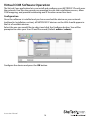
COM
Assign the desired virtual COM port number
Remote Port
TCP Server – Disabled
TCP Client – Assign the remote TCP port you wish to communicate on
UDP – Assign the remote UDP port you wish to communicate on
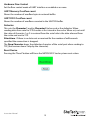
Enable Control Connection (TCP Server or Client Only)
Enables/Disables control of the serial device on a remote network. Using the IP
address and port number allows the user to gain control of the receiver from a remote
location when this is enabled.
Second(s) for reconnection interval
Dictates the duration that the software will automatically attempt to reconnect the
COM port to the serial port on the serial device server, for the purpose of keeping the
connection alive.
Instruction Manual
16