1
2 Your Docking
Speaker
3 Get started
Congratulations on your purchase, and
welcome to Philips! To fully benefit from the
support that Philips offers, register your product
at www.philips.com/welcome.
If you contact the Consumer Care, you will be
asked for the model number and serial number
of this product. The model number and serial
number are on its bottom. Write the numbers
here:
Model No. __________________________
Serial No. ___________________________
Introduction
With this docking speaker, you can:
• enjoy music from your iPod/iPhone,
• charge your iPod/iPhone,
• enjoy music from an external audio player,
and
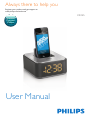
• know the time.
Always follow the instructions in this chapter in
sequence.
Connect power
Caution
•• Risk of product damage! Make sure that the power
supply voltage matches the voltage printed on the
bottom of the unit.
•• Risk of electric shock! When you unplug the AC power
adaptor, hold the plug securely. Never pull the power
cord.
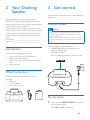
Connect the AC power adaptor to
• the DC IN socket on the back of the
docking speaker, and
• the power supply.
»» The docking speaker is ready for use.
What's in the box
Check and identify the contents of your
package:
• Main unit
• 1 x AC adaptor
• Short user manual
DC IN
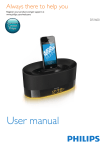
Always there to help you
Register your product and get support at
www.philips.com/welcome
DS125
Question?
Contact
Philips
Short User Manual
Set the clock
1
Press and hold BRIGHTNESS to enter the
clock setting mode.
»» 24H or 12H is displayed.
EN
4